Use QR codes with SmartProcess
There are various use cases in which it may be desirable to use a QR code with SmartProcess. Calling up a process. Calling up a document. Calling up an entry in the wiki. Calling up a case(e.g. opera…

There are various use cases in which it may be desirable to use a QR code with SmartProcess.
- Calling up a process
- Calling up a document
- Calling up an entry in the wiki
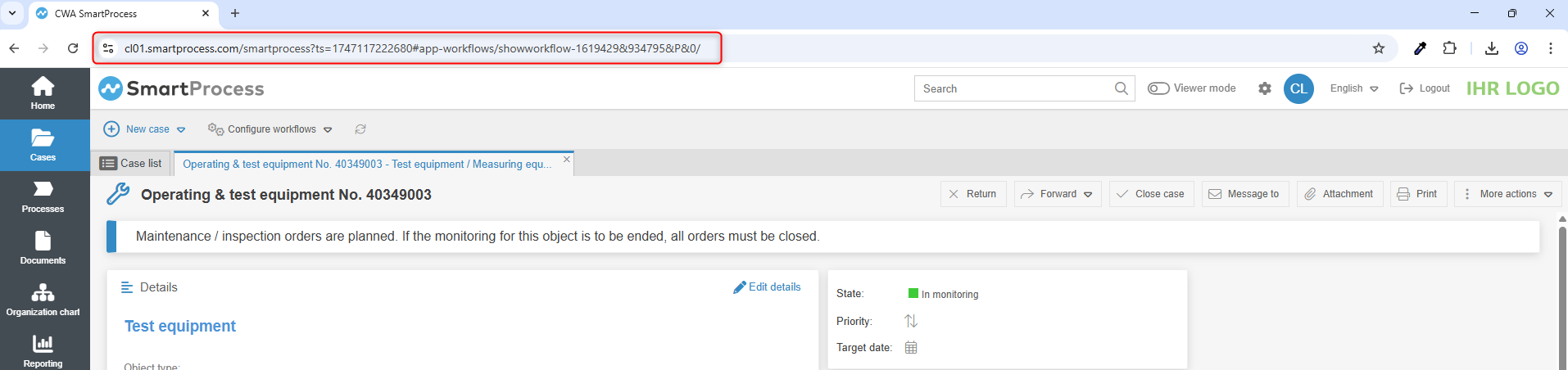
- Calling up a case(e.g. operating and test equipment)
- and much more
This can be achieved very easily and conveniently by generating a QR code from the URL that refers to the object.
Links to the objects
For processes and documents, you can use the "Share" button to display the available links.

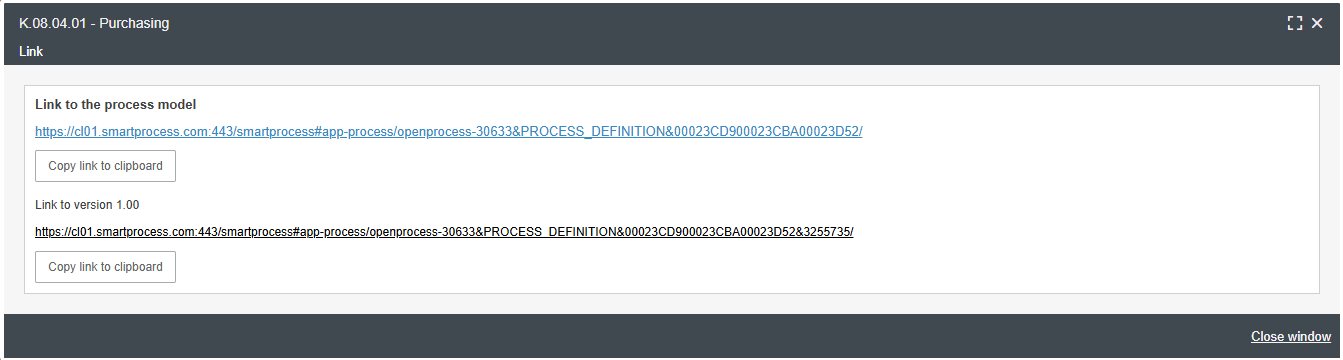
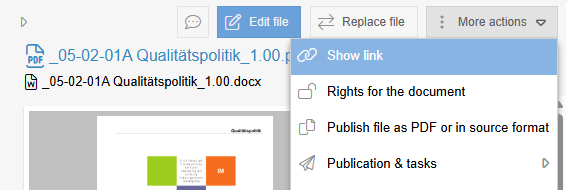
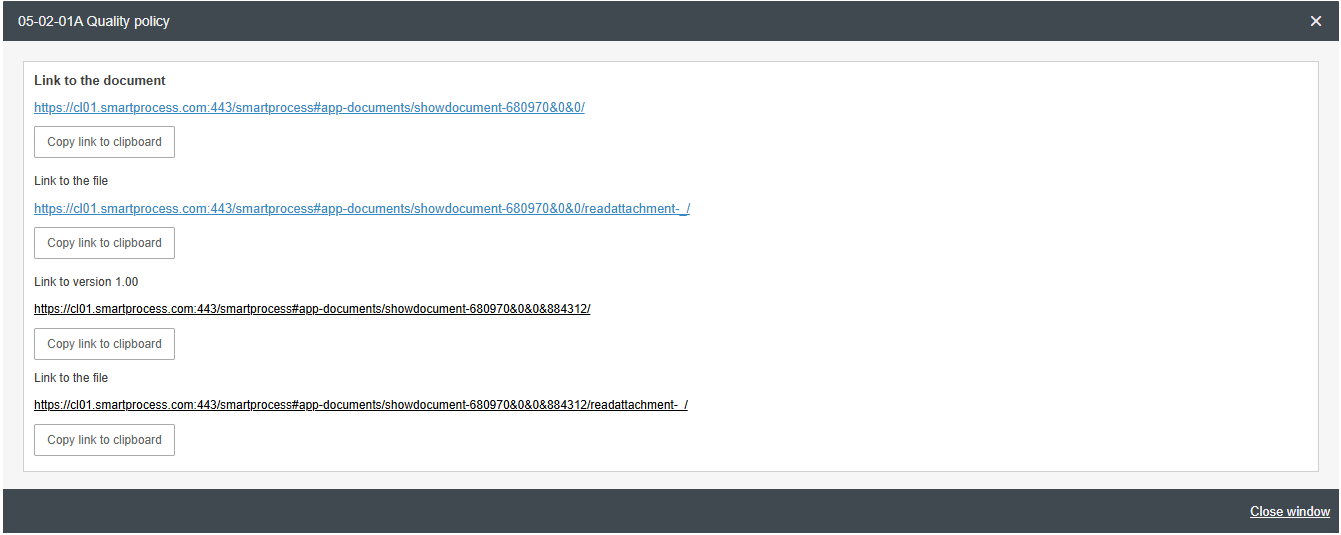
For processes and the wiki, it is easiest to use the link directly from the address bar of the browser.

Generate QR code
The desired link can now be converted into a QR code using an online tool. There are many free tools available on the internet for this purpose.
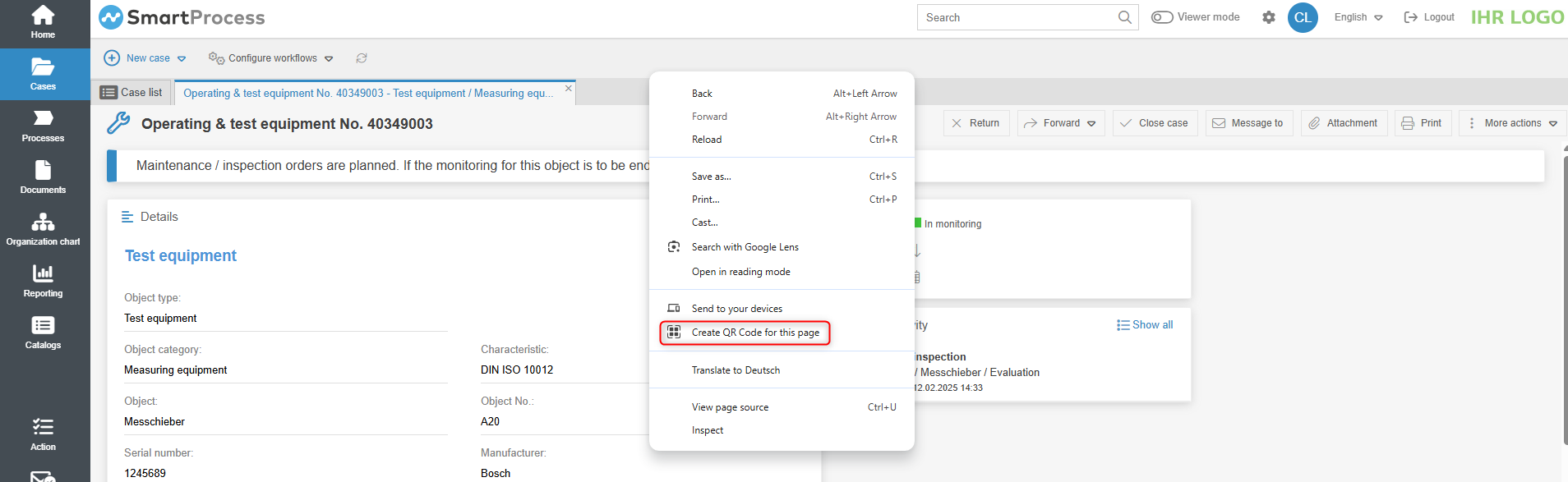
Browsers such as Google Chrome or Microsoft Edge already offer a function for generating the QR code. The browser's context menu can be opened by right-clicking on the relevant page. Here you will find the function to create a QR code for this page. (Here using the example of Google Chrome)
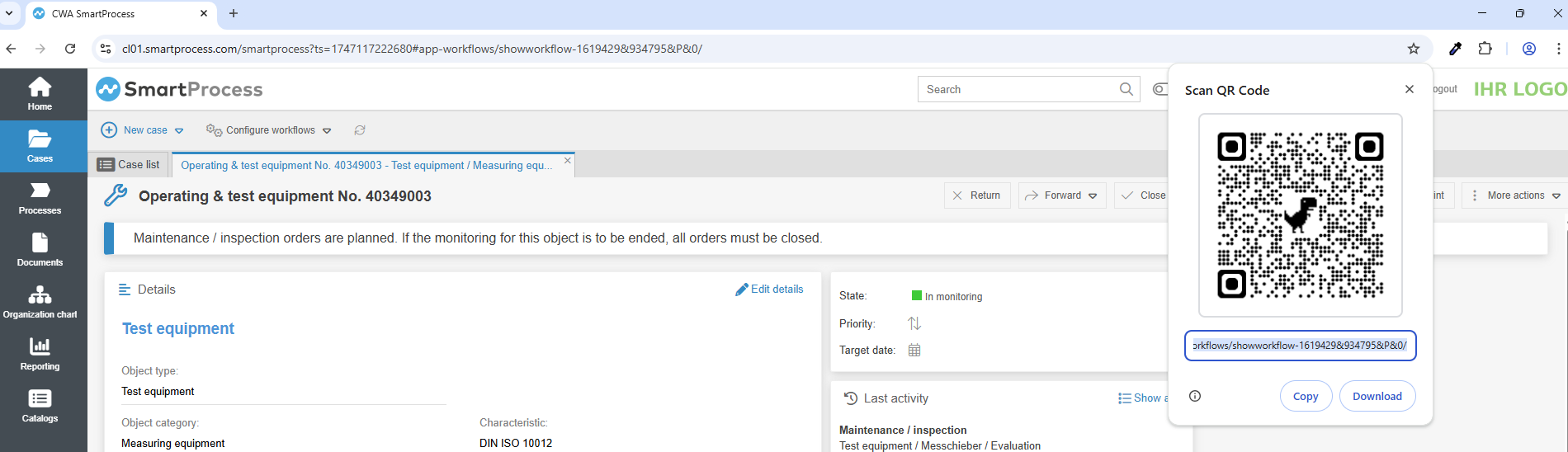
The QR code generated in this way can then be easily copied or downloaded and used for other purposes.
How did we do?
Manage Wikis
