Table of Contents
Display of the logos
In the Settings menu, you can set your company logo for display in the application menu header and for printouts. Printout logo. In the menu "Printout logo" you can upload a logo to display your comp…

Table of Contents
In the Settings menu, you can set your company logo for display in the application menu header and for printouts.
Printout logo
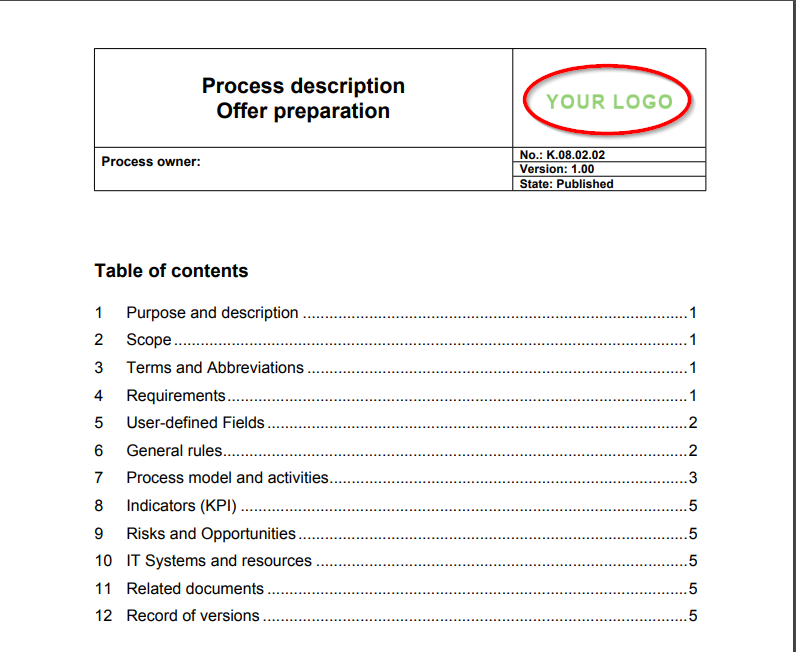
In the menu "Printout logo" you can upload a logo to display your company logo in the PDF printout (e. g. the process description). The required dimensions depend on the space you specify in your PDF printout for the logo. If you use the standard template for the process description, dimensions of approx.
Application head - logo and colour
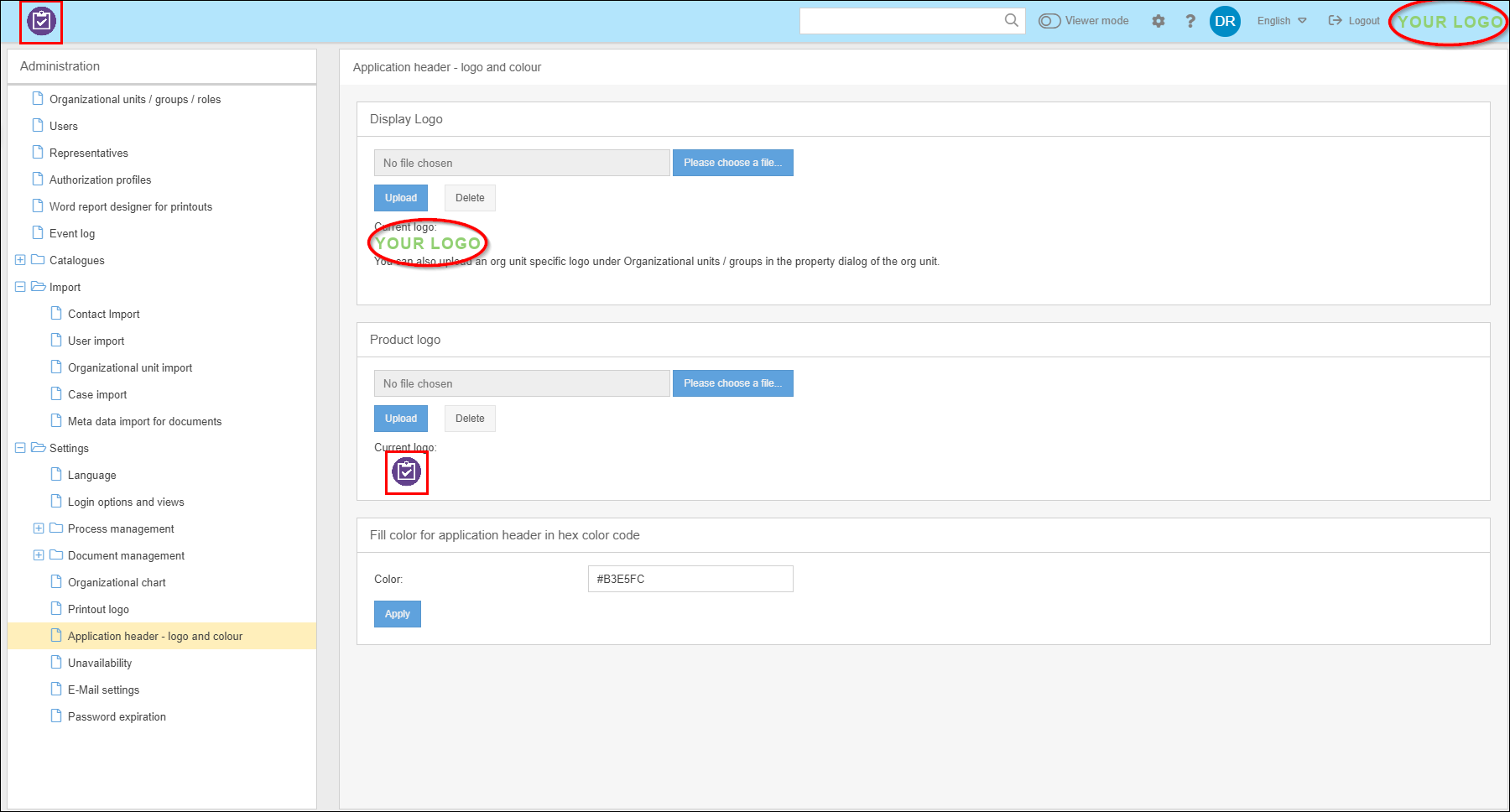
In this menu you can customize the application head of CWA SmartProcess by changing the product logo (rectangular framed in the screenshot), the logo for the screen (oval framed in the screenshot) and the fill color for the application head.
The product logo should have dimensions of approx. 210 x 40 pixels (width x height).
The logo for the screen should have dimensions of approx. 120 x 34 pixels (width x height).
Logo per organizational unit
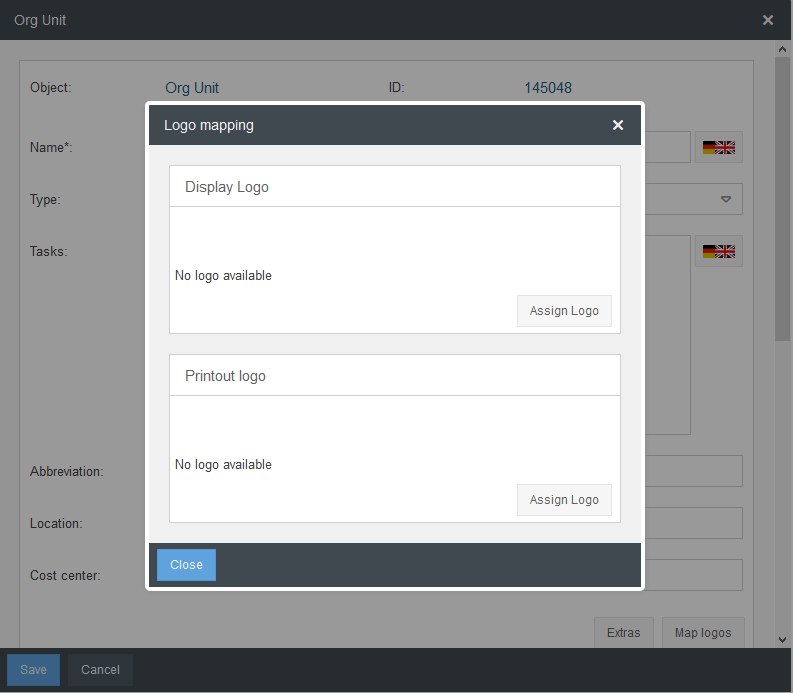
In the Settings menu under Organizational Units / Groups / Roles, you can upload a logo per location and organizational unit in the properties of the organizational unit. This logo is also displayed in the sub-organizational units. Thus you can administer a Logo per location.
How did we do?
Settings for the organizational chart
Unavailability for cases for dates
