Share processes and processgroups
Via the <Share> button a process or a processgroup can be made accessible to others. Thereby you can -Send the link to the process or processgroup by e-mail -Display the link to use it elsewhere -Invite other users to provide feedback and comments

Updated
by Tim Kastens
Share processes and processgroups with others
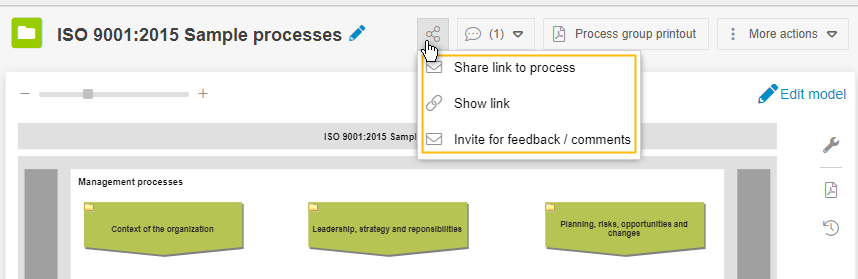
Via the <Share> button a process or a processgroup can be made accessible to others. Thereby you can
- Send the link to the process or processgroup by e-mail
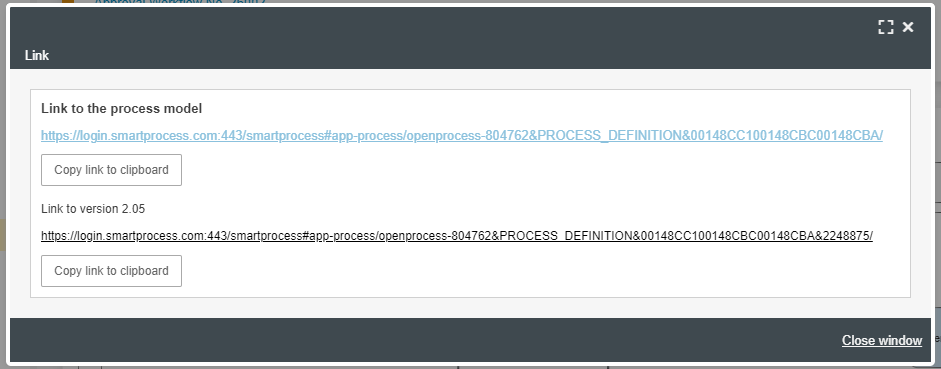
- Display the link to use it elsewhere. Two different types of links are available:
- Link to the process model (dynamic): Based on their permission, users are individually shown the process version they are allowed to see (for viewers usually the last published main version, while designers see the current working version).
- Link to version x.xx (static): The link leads exclusively to the specified version and can then either be opened or not based on the respective authorization.
- Invite other users to provide feedback and comments
How did we do?
Export and import translations
Simulation of processing times and process costs
