Workflow object: Incoming message
With the object "Incoming message" it is possible to wait in a case for an e-mail for this case and then let the case continue. To use the Incomming message in a workflow, at least one e-mail account…

Updated
by Christoph Lemos
With the object "Incoming message" it is possible to wait in a case for an e-mail for this case and then let the case continue.
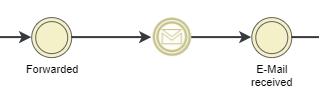
To use the Incomming message in a workflow, at least one e-mail account in SmartProcess must have the incoming mail service activated.
E-mails can only be assigned to a case if the case number is in the subject of the e-mail.
E-mails can only be assigned to a case if the case number is in the subject of the e-mail.
How did we do?
Workflow object: Sub-Process
Workflow object: Send form via e-mail
