Date and time
With these settings, the display format for dates and times can be customized, and furthermore, the time zone taken into account. Date and time format. For date and time format, various common format…

With these settings, the display format for dates and times can be customized, and furthermore, the time zone taken into account.
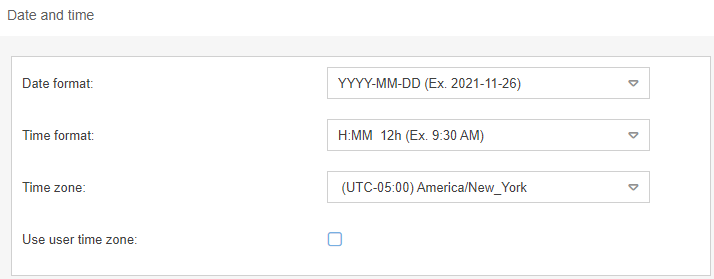
Date and time format
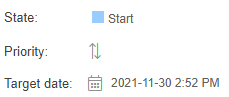
For date and time format, various common formats are available for selection. The changed display is implemented at all interfaces of SmartProcess and thus has an effect in the process management as well as in the workflow cases:
Example from Organizational chart | Example from case |
 |  |
Time zone settings
The Time zone option can be used if the system has to operate with a time zone that differs from the server location.
For example, if the application is hosted in Germany, but the time zone of the corporate headquarters in the USA is always to be used as the reference time, e.g. for reporting complaints.
Use user time zone
If this checkmark is set, no system-wide time zone is used any more, but the time zone provided by the logged-in user system. The active time zone is displayed in the header bar:

Example: If a user in New York saves a case at 09:30 and forwards it to a department in Germany, the German users will see 15:30 as the last save time.
How did we do?
Automatic translation
Login options and views
