Table of Contents
SmartAI chatbot
This article describes how to use the AI module SmartAI chatbot. General information about the credit system, technical notes, and settings for SmartProcess’s AI modules can be found in the article A…

Table of Contents
Using the chatbot
The SmartAI chatbot allows you to ask questions about SmartProcess content, using the following sources to provide answers:
- Published processes
- Published documents
- Entries in the Wiki menu
- SmartProcess online help
The button to launch the SmartAI chatbot is permanently located in the application header and can be accessed from anywhere in SmartProcess. A window opens on the right side of the application.
In these settings, it can also be specified that only selected sources should be used to provide answers.
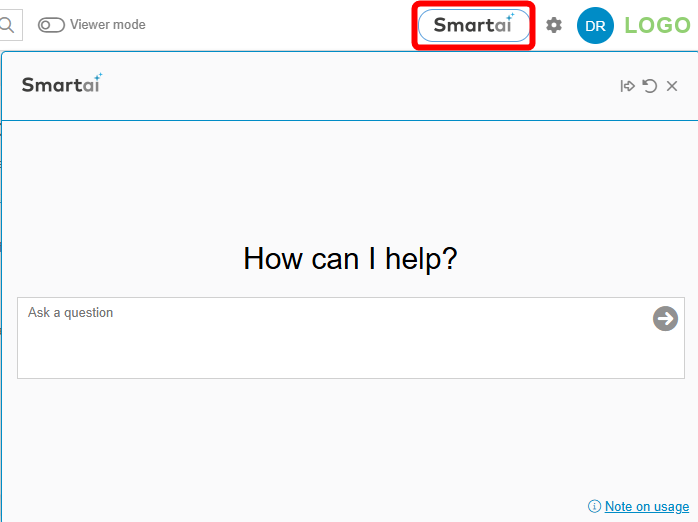
In addition to the input field for formulating the question, the following controls are available in the window:
  | Reduce or increase the width of the chatbot window. |
 | Clear the chat history and start a new chat. |
 | Close the chatbot window (the current chat remains in the background as long as the user does not log out or refresh the website). |
 | Link to the SmartProcess online help article, which describes SmartProcess’s AI functionality in more detail. |
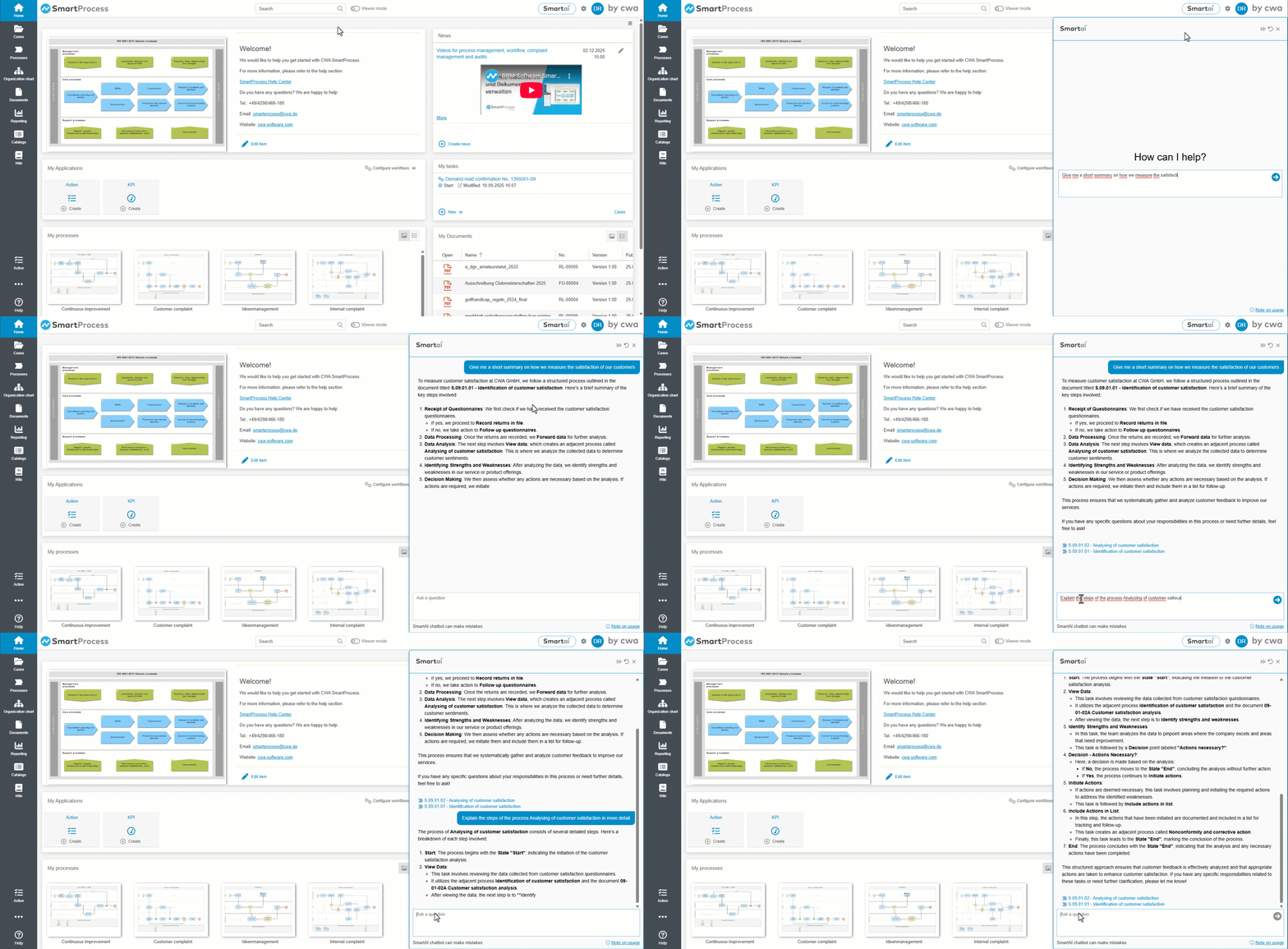
Demonstration video
Notes on chatbots’ results
The chatbot works according to the principle of Retrieval-Augmented Generation (RAG): it searches for relevant text passages in the stored and published documents*, processes, knowledge base entries and the SmartProcess online help and builds its answer exclusively from the content it finds. The answers are not created from free knowledge, but always directly from the texts stored in the system. This works particularly well if the content is available as continuous text (prose); pure tables, lists or bullet points can only be processed to a limited extent.
In our AI architecture, the model is supplied exclusively with the relevant document context from your internal application. There is no technical access to the internet or external sources. The application does not perform web searches or retrieve external content. However, large language models have general, pre-trained language knowledge. By default, we instruct the model to use only the provided document context. In practice, the answers are therefore usually purely context-related. With generative AI systems, however, it cannot be ruled out with absolute certainty that general model knowledge may be incorporated in individual cases or that an answer may not be completely correct in terms of content.
All common Microsoft Office formats, PDF, .txt, .rtf, .TeX, .csv, .xml, .eml, .msg, .oft
SmartAI supports you with the following tasks:
- Answer specific content-related questions on e.g. standards, guidelines and processes, based on documents, processes and knowledge base entries.
- Reproduce or summarise relevant text passages.
- Answer questions about the operation of SmartProcess, based on the help.
- Indicate the sources used to answer the question.
- Combine several references from different documents and embed them in an answer text.
- Shorten longer passages and prepare them in a comprehensible form.
- Create text variants (e.g. short summary or more detailed presentation).
- Organise content in a logical order to improve readability.
- Consider content from different formats (e.g. PDF, Word).
- Give hints if no suitable content was found for a question.The answers are based on the content that the chatbot can access. The user's individual authorisations play an important role here. This means that the chatbot can only access content to which the user has access rights based on their authorisations.
Please note that CWA assumes no liability for the accuracy, legal admissibility or completeness of the content generated by the AI.
How did we do?
AI Function SmartAI (Additional module)
SmartAI process assistant
