Table of Contents
Object: Artifacts IT System, Resource
In this article, the IT system and Resource objects, which are similar in functionality, are explained. IT System Resource IT-System. The artifact IT system is used in the process model if a technica…

Table of Contents
In this article, the IT system and Resource objects, which are similar in functionality, are explained.
 | IT System |
 | Resource |
IT-System
The artifact IT system is used in the process model if a technical system should be used to perform a task (see examples in the table).
By double-clicking on the IT system to open its properties, useful information for the user can be entered:
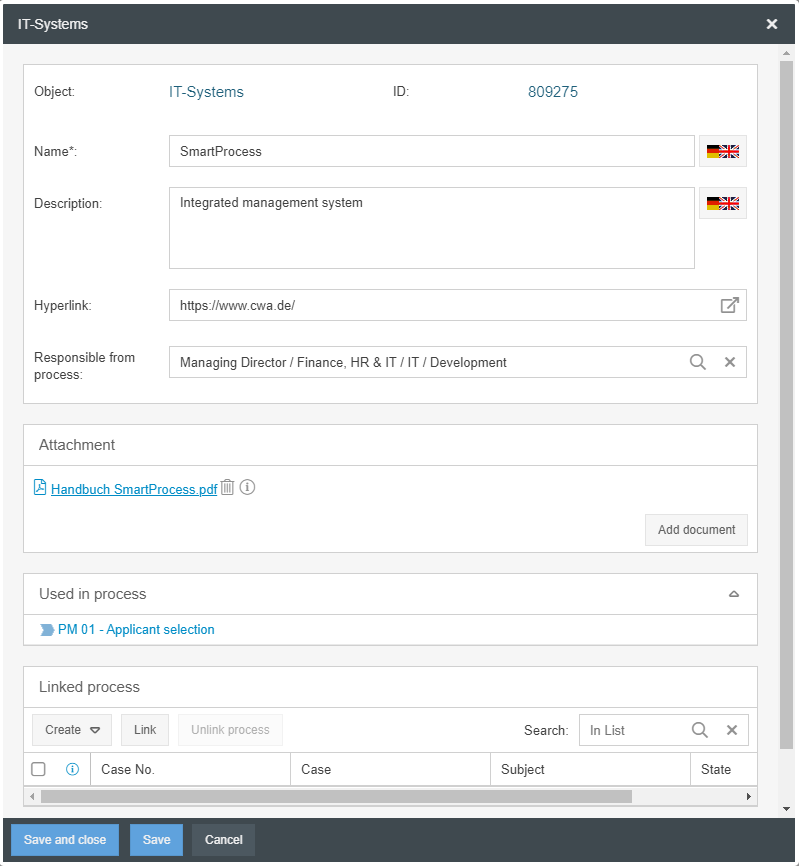
- The name of the system
- A description, e.g. for which purposes the system is used
- A hyperlink to start the application, if it is a web-based application, or to the manufacturer's website
- A responsible person for the system - Click on the magnifying glass to select a department or a person from the organizational chart who is the internal contact person for the system
- The button <Add document> can be used to add one or more file attachments, such as a manual or operating instructions for the system
- The section 'Used in process' lists the processes in which the IT system was modelled and reused
- A workflow case can also be linked to an IT system. Further details are described in the article on KPI, risk and opportunity
Resource
The artifact resource is used in the process model if a resource is to be used to perform a task. Resources can be material (machines, tools) or immaterial (licenses, patents).
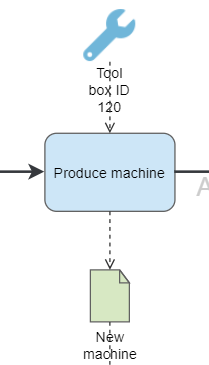
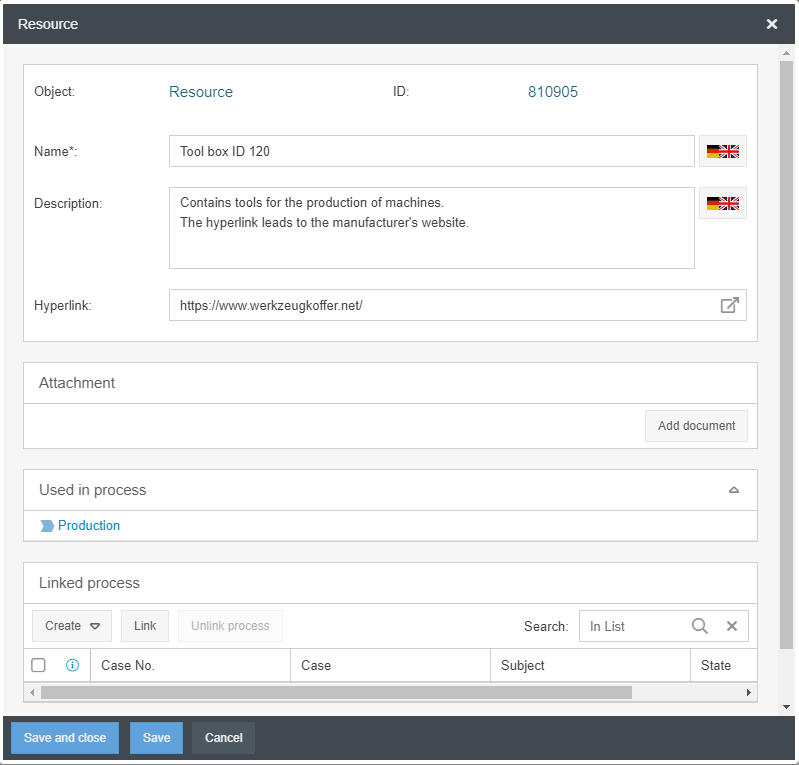
The properties and reporting options of resources are identical to those of IT systems. The only difference is that the attribute responsible person is not available for the resources.
How did we do?
Object: Artifacts in general
Object: Data object Input / Output, Adjacent process
