Table of Contents
Object: Data object Input / Output, Adjacent process
SmartProcess allows you to model process interactions to show how information is processed across different processes. Different modeling objects are available for this purpose: Data object Input / O…

Table of Contents
SmartProcess allows you to model process interactions to show how information is processed across different processes.
Different modeling objects are available for this purpose:
 | Data object Input / Output |
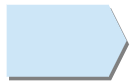 | Adjacent process |
Data object Input / Output
Data objects are used when during the execution of a task in a process an output is generated which is reused and processed further as input in one or more processes.
As an additional option, a separate tab is available for inputs and outputs in the symbol menu of the Process designer, with which data objects already created can be searched and reused.
A data object can represent something material (e.g. production material) as well as something immaterial (e.g. ideas / concepts) or data (e.g. e-mails, information from a database).
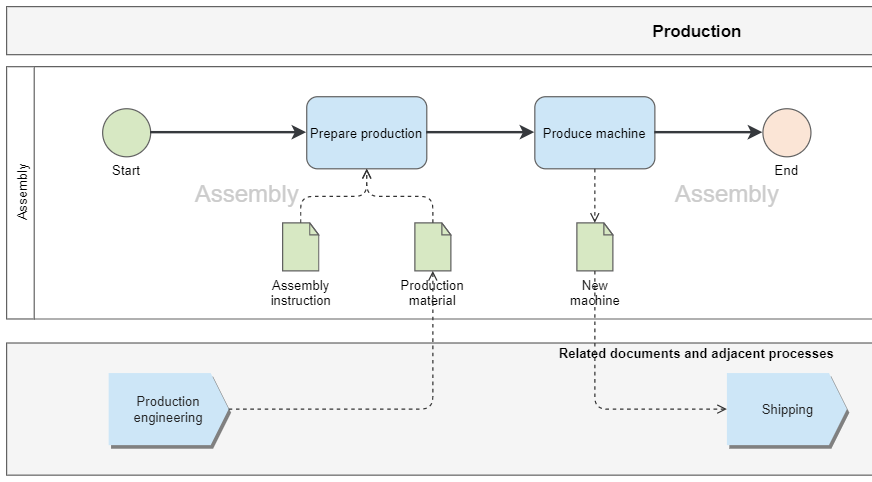
In the example, in the process 'Production', production materials and an assembly instruction are used as input to perform the task 'Prepare production'. In the subsequent task 'Produce machine' the output is the finished produced machine. In another process, 'Shipping', the created machine is used as input for the step 'Package goods'.
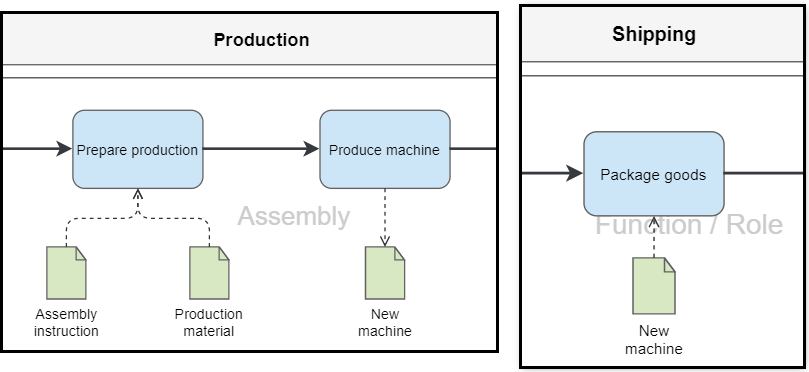
- Connector from the data object to the task -> data object is marked as input
- Connector from the task to the data object -> data object is marked as output
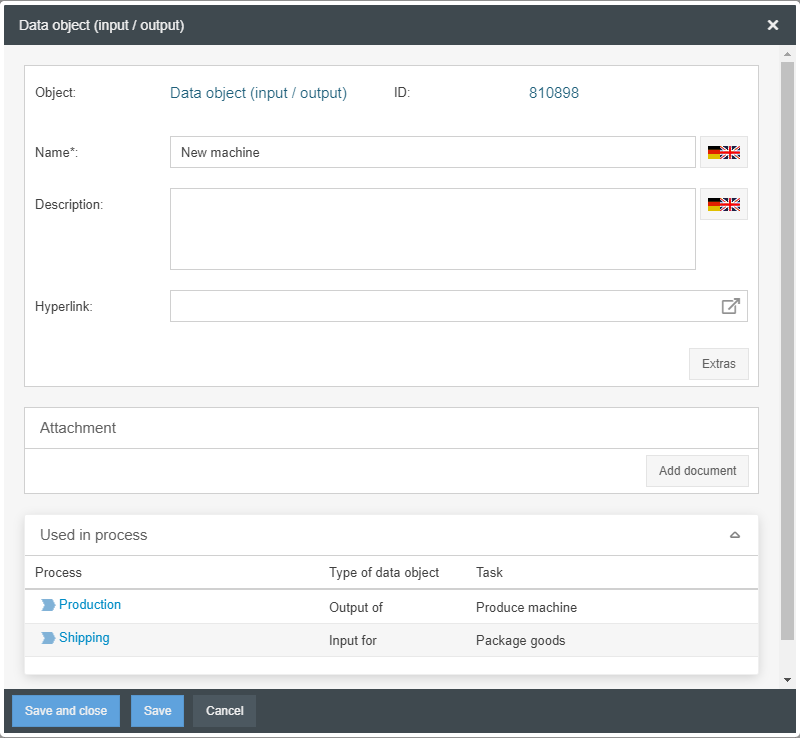
Double-clicking on the data object opens its properties.
There you can see the interaction between the processes in the area 'Used in process'. It is listed exactly in which process the data object results as output from which task and is used in other processes as input for a specific task.
In addition, the name and description of the data object can be adjusted here and a hyperlink can be deposited, which the viewer can click on in the read-only view.
Furthermore, the button <Extras> allows you to create user-defined fields to enter any additional information for the data objects in the system.
The button <Add document> allows you to add one or more file attachments to the data object.
Reporting of interactions
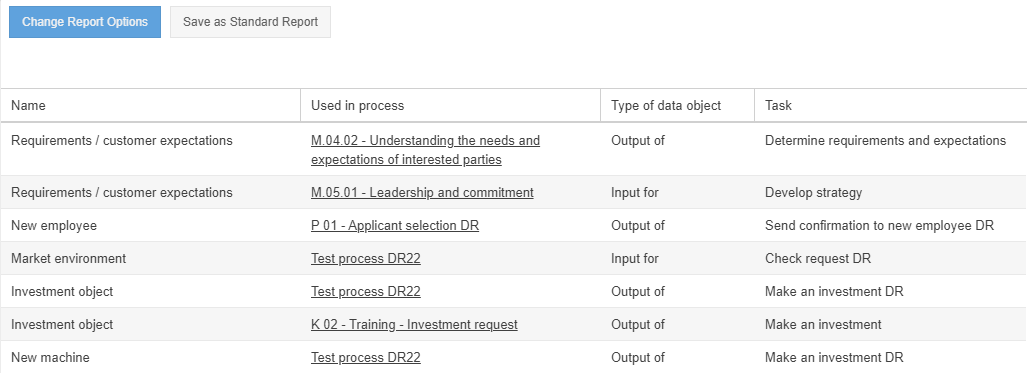
In the Reporting menu, all data objects of the system including their usage can be displayed in order to get a complete overview of all inputs and outputs used in the company.
Adjacent process
The 'Adjacent Process' object can be used to indicate that a process is preceded and/or followed by other processes.
In this way, for example, the value chain of a company can be represented, which consists of several consecutive processes.
If adjacent processes are modelled, the user can click through from one process to the next adjacent process.
How did we do?
Object: Artifacts IT System, Resource
Object: Artifacts KPI, Risk, Control, Opportunity
