Modeling rules
With the rules and recommendations for process modeling, you can set defaults for the modeling team in various areas. These then come into play in the Process Designer when a process or workflow is s…

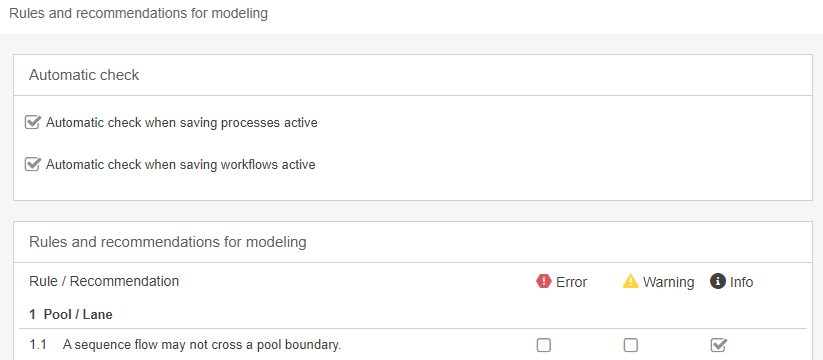
With the rules and recommendations for process modeling, you can set defaults for the modeling team in various areas. These then come into play in the Process Designer when a process or workflow is saved or when the check is triggered manually. They are based both on the general guidelines from BPMN and on functional aspects from SmartProcess.
Automatic check
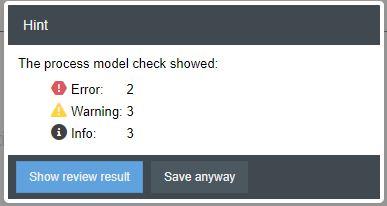
Here it is possible to specify whether, in addition to being called up manually, the check should also be performed automatically when process and/or workflow models are saved. The modelers can then decide whether they want to display the results in detail and fix the points, or whether they want to ignore them and save or exit the model.
Rules and recommendations for modeling
Here you will find all applicable modeling recommendations grouped by topic. You specify whether a rule should be applied and, if so, in which of the three categories (error, warning or info) a rule violation falls. Regardless of the category, the notes displayed in the Process Designer always have an informative character only. This means that saving the model is not prevented.
How did we do?
Settings for process management
Symbols for processes and process groups
