Field: Contact selection
Contact fields can be used to access contact management, which is accessed from the Contacts menu. In the properties of the contact fields, the fields to be displayed can be selected from the list of…

Contact fields can be used to access contact management, which is accessed from the Contacts menu.
In the properties of the contact fields, the fields to be displayed can be selected from the list of available fields using drag & drop and placed in the desired order.
A name can be defined for the contact fields, which will then be displayed above the contact fields.
The following setting options are available in the properties of the contact fields:
Option | Description |
Choose contacts from database / No direct input allowed | No manual entries are allowed in the form and only a selection from the contact management is possible. |
Put contacts filled directly in the form to the database | If manual entry of a contact is allowed, this contact can be added to the contact management as a new contact when the form is saved. |
Show contact in worklist | If this option is selected, a Contact column is available in the case list, filled with the contact information.  This option only works if the company is also available as a contact field in the form. |
Contact type | In this selection list, you can specify which contacts are to be considered for selection in the form. Contact types for contact management can be defined in the settings. |
Default contact type for automatic transfer from form | If contacts are automatically transferred to the contact management, a default contact type must be set for this. |
For each added field it can also be set whether this field may be empty or whether this field must be filled in as a "mandatory field".
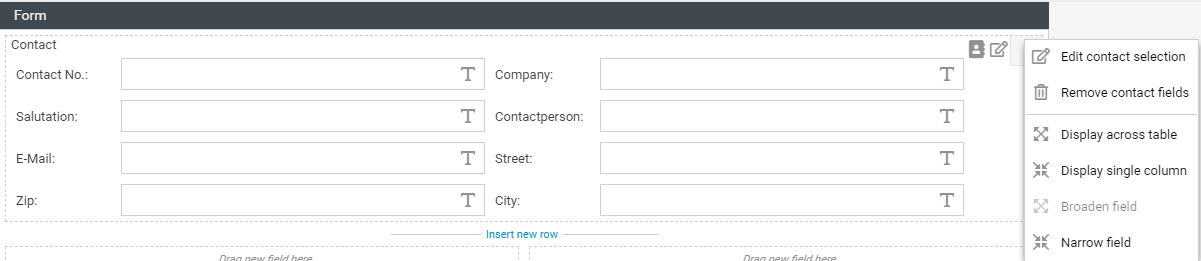
In the form, the contact fields can be displayed either single-column or multi-column.
General field properties
How did we do?
Field: Function-Fied
Field: Field group
