Field: Number
A field of the type "Number" can be used to display a field in a transaction in which a number can be entered. You can set the properties for the field in the Form Designer. In the value range, you c…

Updated
by Christoph Lemos
A field of the type "Number" can be used to display a field in a transaction in which a number can be entered.

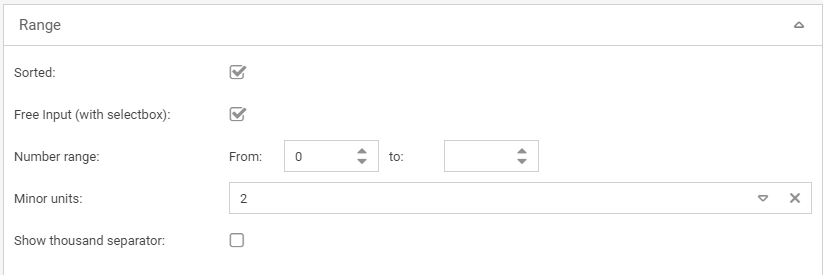
You can set the properties for the field in the Form Designer. In the value range, you can specify the number range for a number-type field, in addition to the general properties, to limit the numbers that can be entered.
It is also possible to specify the number of decimal places and activate a thousand separator.
Even if decimal places are configured, they are only displayed in the form if the number really has decimal places. 2.00 would be displayed as 2.
Use a number field only if you intend to use this field for calculations.
A description of the general field attributes that also apply to this field can be found:
General field properties
General field properties
How did we do?
Field: Multirow formatable text
Field: Date
