File attachments in SmartProcess
File attachments can be added to various objects in different SmartProcess menus. These include: Forms in cases and activities. Artifacts in the process model. Documents. Wiki entries. News entries.…

File attachments can be added to various objects in different SmartProcess menus. These include:
- Forms in cases and activities
- Artifacts in the process model
- Documents
- Wiki entries
- News entries
- Catalog entries
- Contacts
SmartProcess only allows selected file formats. For workflow forms, the permitted file formats can be further restricted by the modeler.
Allowed file formats
Word | .doc | .docx | .dot | .dotx | .docm | .dotm | .odt | .ott |
Excel | .xls | .xlsx | .xlt | .xla | .xlsm | .xltm | .xlam | .xlsb | .ods | .ots |
PowerPoint | .ppt | .pptx | .pot | .potx | .pps | .ppsx | .ppa | .pptm | .ppam | .potm | .ppsm | .odp | .otp |
Text | .pdf | .txt | .rtf | .tex | .csv | .xml | .one |
Image | .jpg | .jpeg | .png | .gif | .tif | .tiff | .jfif | .svg | .svgz | .bmp | .dib | .ico | .indd | .dxf | .heic | .heif | .webp |
Video | .mp4 | .mov | .avi | .mpeg | .mpg | .3gp | .movie |
Audio | .mp3 | .m4a | .wav | .wma | .aac |
Others | .vsdx | .pub | .zip | .rar | .7z | .z | .gz | .tar | .eml | .msg | .oft | .step | .stp | .dat | .mpp | .exp | .bpmn | .dxf | .dwg | .stl |
Define allowed formats in the form designer
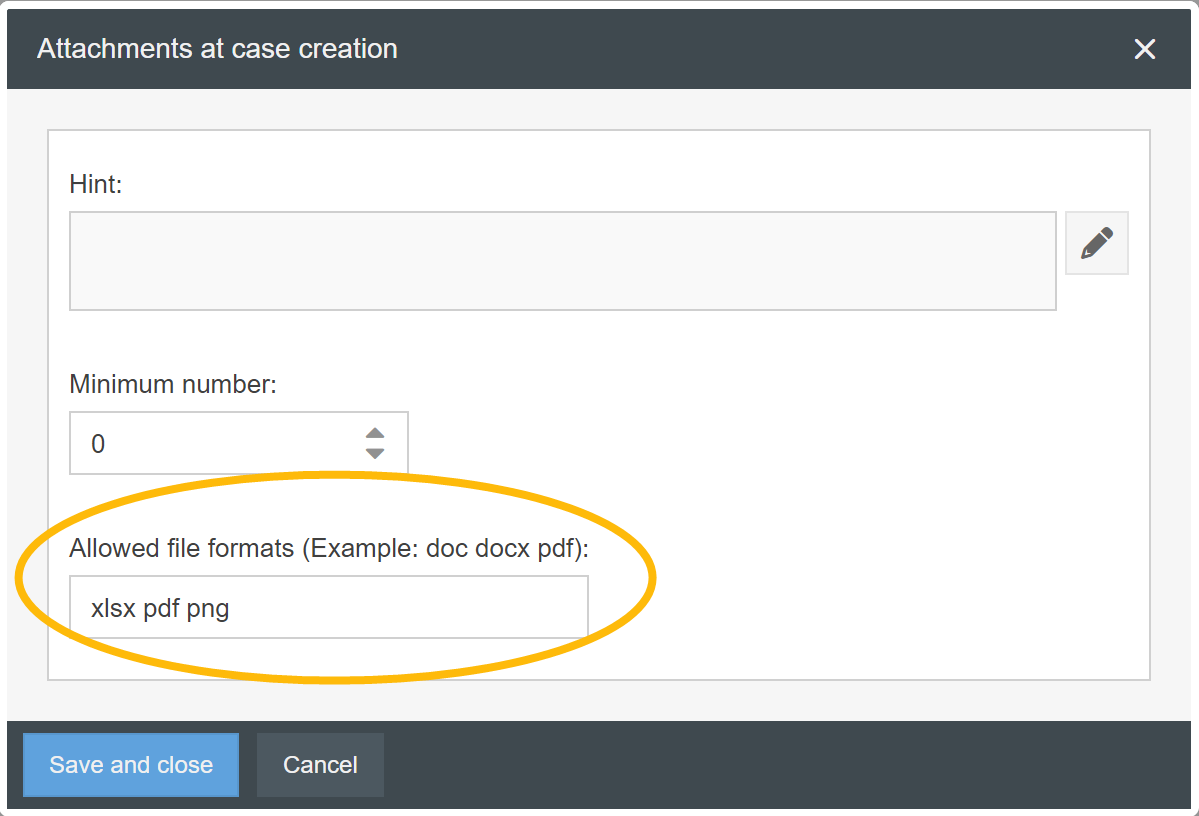
When designing workflow forms, the file formats that the end user is allowed to upload while processing the case/task can be further restricted. The setting can be found in the form designer of the start or task form via the <Attachments> button.

In the following window, you can enter the allowed file formats, separated by a blank space. In the example from the screenshot, the user may only upload attachments with the file format .xlsx, .pdf or .png when filling out the form.
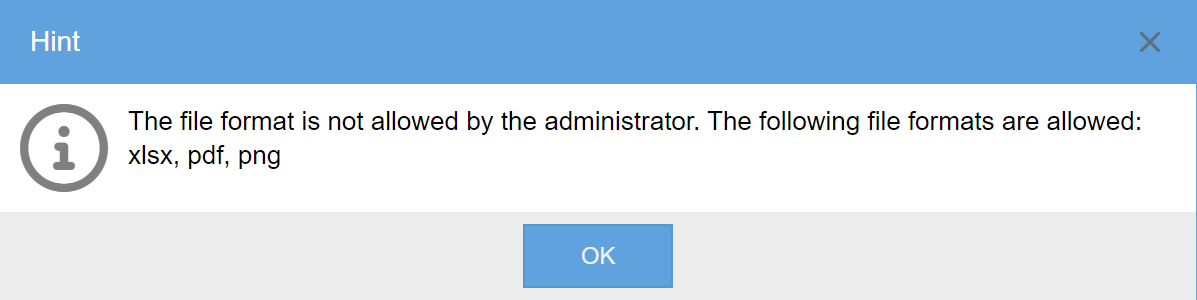
The attempt to add other file formats to this form is prevented while displaying an error message.
How did we do?
Contacts
Manage Wikis
