Table of Contents
Export and import processes
Process groups and processes, including associated documents, can be exported from one SmartProcess and imported back into other SmartProcess installations. Export. To export a process, open it in th…

Table of Contents
Process groups and processes, including associated documents, can be exported from one SmartProcess and imported back into other SmartProcess installations.
Export
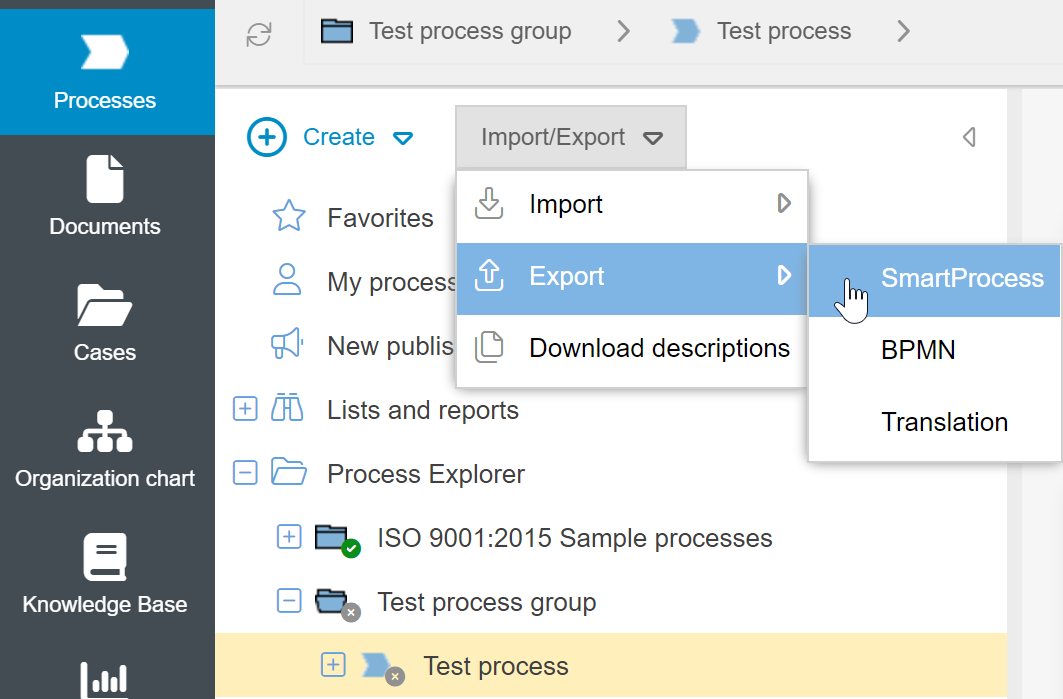
To export a process, open it in the Process explorer. Then select the path Import/Export -> Export -> SmartProcess in the navigation area.
This file can only be imported into SmartProcess installations.
Import
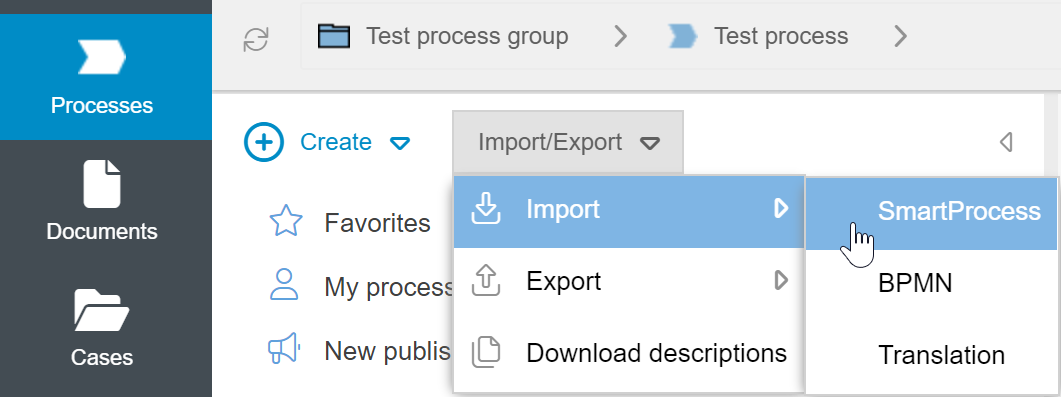
If you want to import a previously exported process, select the path Import/Export -> Import -> SmartProcess in the navigation area.
Depending on whether automatic document numbering is activated in the target system or not, the documents contained in the processes are handled differently:
- Automatic document numbering active: Contained documents receive a new automatic document number
- Automatic document numbering deactivated: Contained documents retain the document number from the original system
Click on <Select file> and select the file to be imported from your drive. Then click on <Import>.
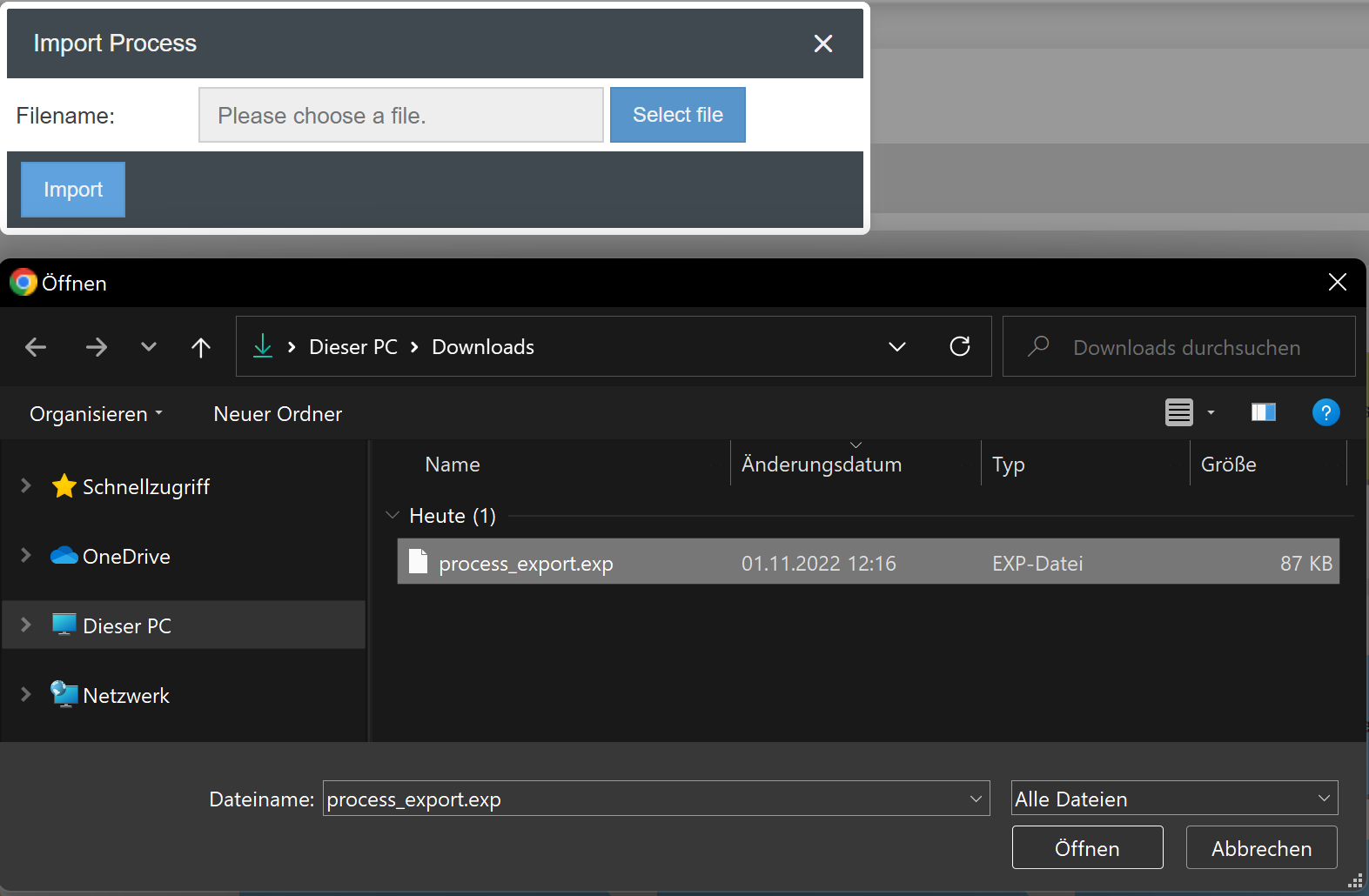
The process is now imported and has the state not published.
Important notes on importing processes
During an export and import, the links from process elements to the organization chart are lost. If a process is exported and imported, you must therefore note the following:
- The assignment of objects from the organizational chart (roles, organizational units, groups, and so on) must be redefined or updated in the swimlanes.
- If there was an assignment of process participants, these must be reassigned or updated.
- The process owner and the process manager must be reset
- If the process contains adjacent processes, these must be linked again.
- Catalog links for terms and abbreviations or standards and requirements and images must be updated.
- Document users have to be reset
- The process must be republished.
- If possible, you should avoid reusing processes as activities. Since you might have to delete them before the export/import and set them again after the import
How did we do?
Feedback & Comments
BPMN import and export
