Table of Contents
List: Process participants
The 'Process Participants' window lists all organizational units and roles that are involved in the execution of a process. Insert objects into the Process participants window. Link in the process mo…

Table of Contents
The 'Process Participants' window lists all organizational units and roles that are involved in the execution of a process.
Insert objects into the Process participants window
Link in the process model
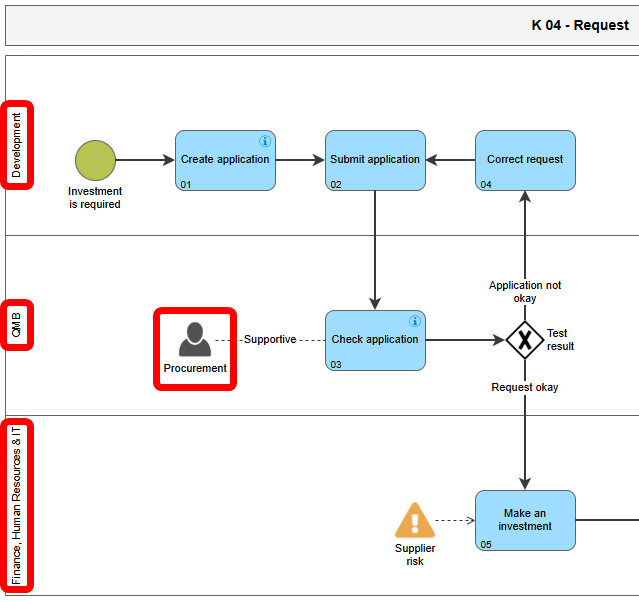
If an organizational unit / role has been linked to a swimlane or as an additional participant in the process model, these objects are automatically entered in the list 'Process Participants'.
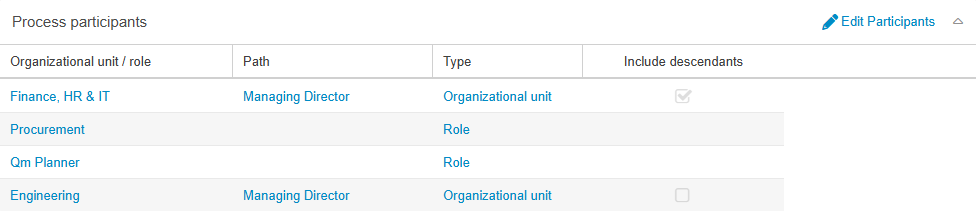
'Add' in the 'Process participants' list
If further organizational units / roles should be entered as process participants, this can be done manually via the buttons <Edit participants> and then <Add> in the list 'Process Participants'.
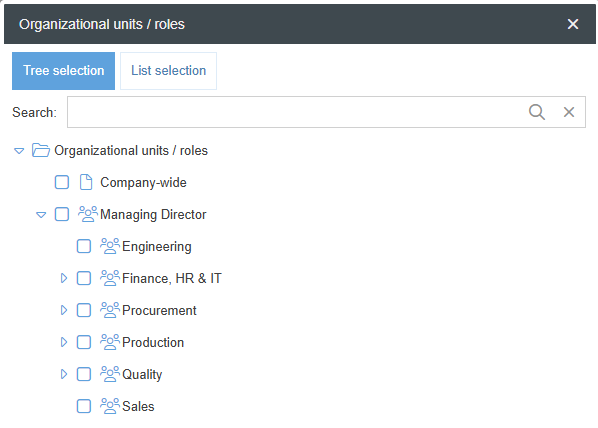
In this case, the organizational chart opens from which any number of further organizational units / roles can be selected.
Effects for the process participants
If an Org. Unit / Role is listed in the list 'Process Participants', this has the following consequences for all users assigned to this organizational unit as Main group or Additionally assigned group:
- Display in 'My processes'
Once the process is published, it will be displayed to users in the 'My Processes' section of the start page and the Processes menu.
- Notification on publication
When a new version of the process is published, the user is notified of this by an automatic e-mail from the system if the following additional requirements are met:
Publishing with the approval workflow |
|
Publishing without the approval workflow |
|
"Inheritance" to subordinate organizational units
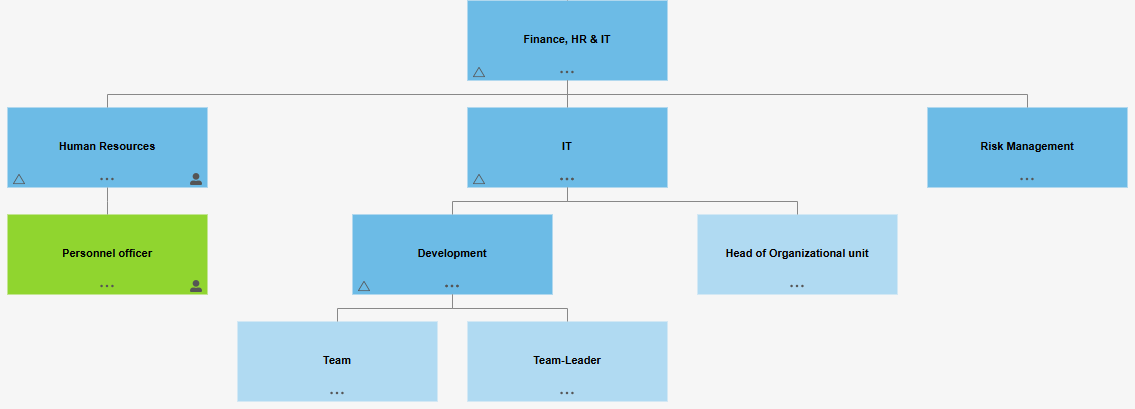
With the checkbox <Include descendants> in the list 'Process participants', the described effects can also be passed on to all organizational units listed in the organizational chart below this organizational unit (in the example: Finance, HR & IT).

In the example, activating the checkbox would mean that every user assigned to one of the Org. units / groups in the screenshot below would be considered as a Process participant. If the checkbox is not activated, the described effects only apply to users explicitly assigned to the organizational unit 'Finance, HR & IT'.
How did we do?
Lists: Indicator (KPI), Risks, Opportunities
Process description
