Table of Contents
Authorization profile - Tab Documents
For general information on managing authorization profiles, see the Introduction to authorization profiles article. In the Documents tab, you assign general access rights for document management. Rea…

Table of Contents
In the Documents tab, you assign general access rights for document management.
Read access
Read access to published documents | If this option is enabled Example: - The user Mr. Müller is assigned to the organizational unit Quality. - Read access has been assigned to Quality for the document 'Document matrix'. - No reading access has been assigned to Quality for the document 'New development checklist'. - Mr. Müller is allowed to see the document 'Document matrix', but not the document 'New development checklist'. If this option is disabled, the users are not allowed to see any documents at all and the Documents menu is hidden for them. All other settings for read and edit access will then be grayed out. |
Read access to all published documents | If this option is enabled |
 , the users are generally allowed to see published documents. Which documents they are allowed to see exactly depends on their assigned organizational units and the
  , the users are allowed to see all published documents. The settings for read access on the specific document (see the example above in the blue box) then have no meaning for these users.
Write access
Write access to documents | If this option is enabled Example: - The user Mr. Müller is assigned to the organizational unit Quality. - Write access has been assigned to Quality for the document 'Document matrix'. - No write access has been assigned to Quality for the document 'New development checklist'. - Mr. Müller is allowed to edit the document 'Document matrix', but not the document 'New development checklist'. If this option is disabled, the users are not allowed to edit any document at all. All other settings for edit access are then grayed out. |
Write access to all documents | If this option is enabled |
Direct publishing of documents without the approval workflow | If this option is enabled, the users may publish documents without having to be confirmed by other people as reviewers or approvers as part of the approval workflow. 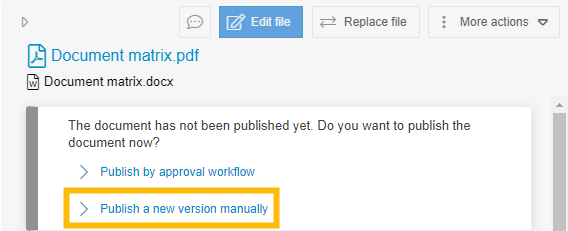 If the option is disabled, users are only allowed to publish documents using the approval workflow. |
Manually edit the validity of documents | If this option is enabled, users can manually extend the validity of published documents, regardless of whether the object is still valid or the validity has already expired.  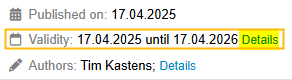 |
Withdraw and delete withdrawn documents | If this option is enabled, users can withdraw published documents, i.e. undo a publication: 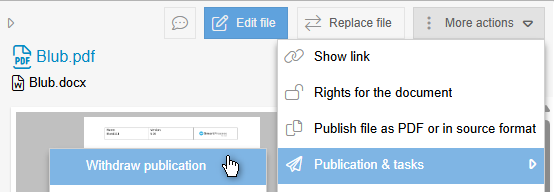 The deletion of withdrawn documents is also permitted. |
Editing the validity of documents as the person responsible
Manually edit validity of documents as document responsible | If this option is active, the users who are defined as document responsible in the document details can manually extend the validity of this document, regardless of whether the object is still valid or the validity has already expired. 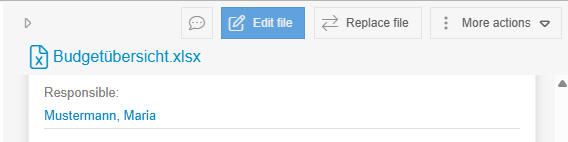 |
Configuration
Basic settings for document management and user-defined fields | If this option is enabled, the users may:
|
How did we do?
Authorization profile - Tab Processes
Authorization profile - Tab Organization chart
