Language
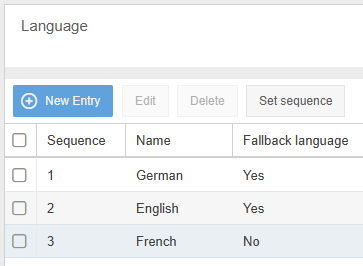
You can manage the different languages used in the system in the Language menu item. These languages are available for all users to choose from after logging in. Which language is used for the first…

You can manage the different languages used in the system in the Language menu item. These languages are available for all users to choose from after logging in. Which language is used for the first login and for the e-mail sent previously with the login data can be defined by the administration when creating each user.
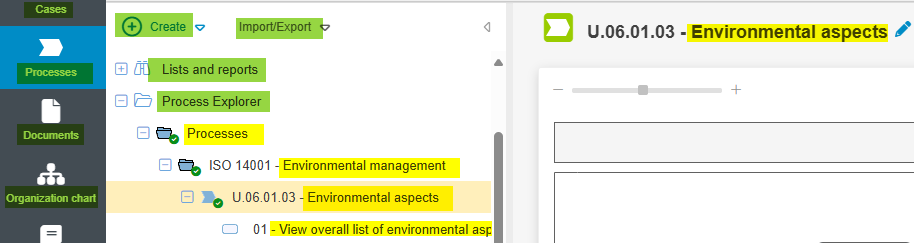
The difference between system language and content language
System language (green in the image) refers to language packages that are provided by CWA as standard (German and English) or can be purchased additionally. They include the entire user interface (UI), e.g. buttons, menu items or settings, and are only expanded through support.
Content languages (yellow in the image), on the other hand, refer to all content created by users themselves, such as process names, task descriptions or wiki articles. They can be freely added to this menu at any time.
By adding a new content language, a task can also be described in Italian without having to acquire a system language. If users now change the language in the application header to Italian, the correspondingly translated content is displayed in the Italian version, while the user interface continues to be displayed in one of the system languages. Which one this is depends on the order here in the menu: The system language that is further up is used.
Fallback language
The fallback language is used to control whether content fields that have not been translated are displayed empty when called up or whether the specified fallback language is used instead. Several fallback languages can be defined so that they can replace each other.
How did we do?
Automatic translation
