Table of Contents
Object: Pool & Swimlane
Pools and swimlanes are used to indicate which department from which company is responsible for performing one or more tasks in the process flow. The following symbols are available: Symbol Descripti…

Table of Contents
Pools and swimlanes are used to indicate which department from which company is responsible for performing one or more tasks in the process flow. The following symbols are available:
Symbol | Description |
 Lane: Horizontal or Vertical | Tasks to be performed are visible to users in this swimlane (swimlane is expanded). This object is used when the process model as a whole includes a closed area or company and the the tasks are performed by an internal department, for example, QM department (link swimlane to an organizational unit, see below) |
 Pool: Horizontal or Vertical | Tasks to be performed in the swimlanes of this pool are visible for users (swimlane is expanded). This object is used if the process model as a whole includes several independent areas or companies and the tasks are performed by an internal department, for example, QM department (link swimlane to an organizational unit, see below) |
 Folded Pool | Tasks to be performed are not visible to users in this swimlane (swimlane is folded). This object is used when the process model is modeled horizontally from left to right and the tasks are performed by an external participant, such as a customer / supplier. |
Classification of pools and swimlanes
The illustration of the execution responsibility in the process model can be understood like the view of a swimming pool from a top view.
Each company in which parts of a process flow take place is represented by its own (swimming) pool. Within the company, the tasks to be performed are executed by different departments. These departments are represented by swimlanes (i.e. individual swimming lanes in the company pool). Tasks that are modeled in the swimlane 'Human Resources' in the following example must be processed by an employee from the Human Resources department.
Create or remove pools and swimlanes
If a new process is created, it initially contains 3 empty swimlanes. Depending on how many departments are involved in the process flow, unnecessary swimlanes can be removed from the process model or additional ones can be inserted.
If several companies are involved, remove the existing swimlanes and drag the required number of pools into the model instead.
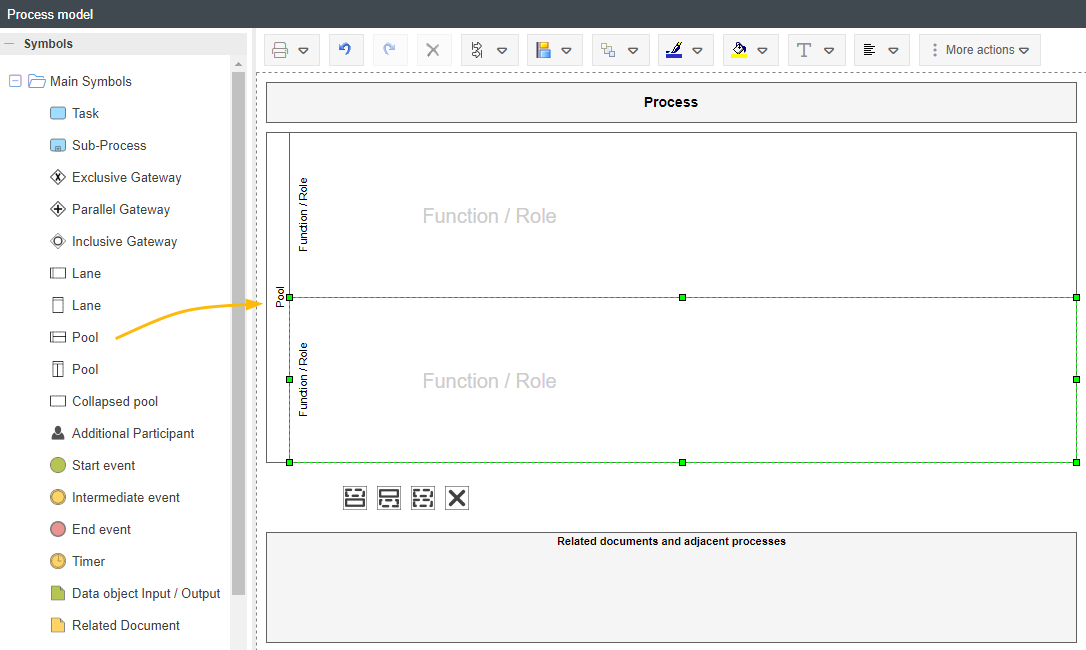
Via a context menu, you can add further lanes within the pool, remove existing ones or subdivide a lane again for a third level (e.g. 1st company, 2nd organisational unit, 3rd role).
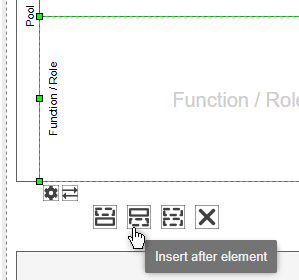
The alignment of the swimlanes determines whether the process model is modeled horizontally from left to right or vertically from top to bottom.
Swimlanes with and without organizational unit assignment
As an object, a swimlane has various properties, such as a name and a unique ID. A possible additional property is that a swimlane is linked to an organizational unit (org. unit) in the organizational chart.
- The org. unit is entered in the Process Participants table in the Process Details, which allows users from that org. unit to see the process in the area 'My Processes' and to be notified via email when a new version of the process is published.
- The list 'Actions' shows which org. unit is responsible for which task, depending on the swimlane in which the task was modeled.
- The PDF printout of the process description also shows the responsibility for the tasks.
Create new swimlane with assignment
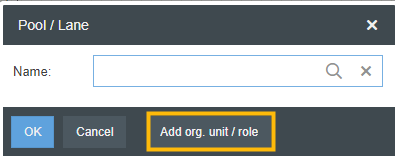
If the object 'Pool / Lane' was inserted into the process model via drag & drop, a creation windows appears. If the functionality described in the upper yellow box is to be used, the swimlane should be created as follows:
- The swimlane should be linked to an org. unit from the organizational chart. To do this, always use the button <Add org. unit / role> in the creation window.
- The organizational chart opens in a tree structure. There you can select the department that is responsible for performing one or more tasks in the process.
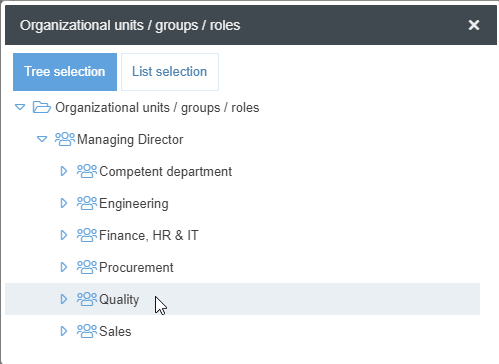
- After selection, the name of the org. unit is automatically entered in the field 'Name'. The window is confirmed with <OK>.
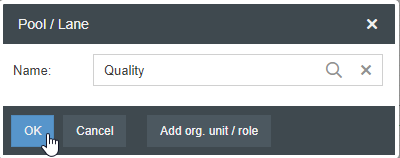
- (Optional step) - If a swimlane with the entered name already exists in another process in the system, SmartProcess suggests reusing the existing swimlane (see also article with detailed description of reusing).

The reuse of swimlanes is therefore recommended in any case.
If several swimlanes with this name already exist, a subsequent window appears in which you can select one of the existing swimlanes for reuse.
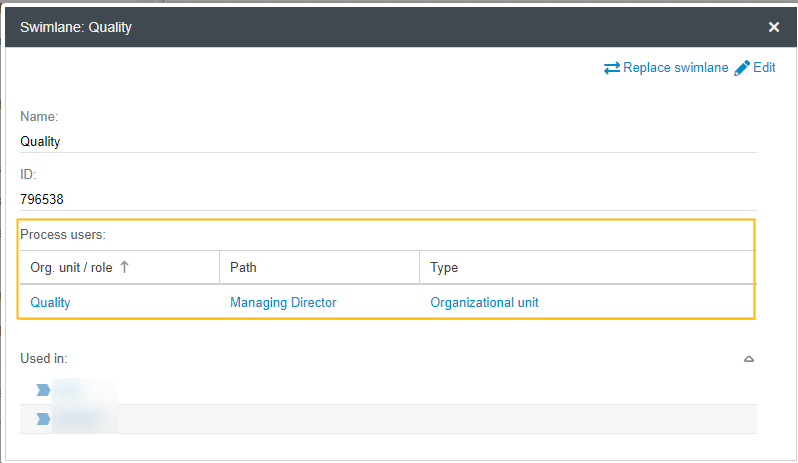
- If the assignment of the organizational unit to the swimlane was successful can be controlled with the properties of the swimlane.
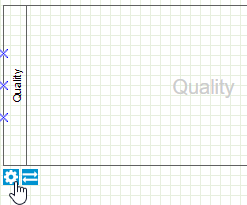
If the desired org. unit from the organizational chart is listed in the area 'Process participants', the creation of the swimlane with assignment to an organizational unit was successful.
Change responsibility / add org. unit to empty swimlane
In contrast to the creation of a new swimlane, there are 2 additional cases in which an organizational unit can be assigned to an existing swimlane:
- In a newly created process, an org. unit should be assigned to the automatically created swimlanes
- In a process, the responsible org. unit assigned to a swimlane should be changed
In both cases the button <Replace Swimlane> is used.
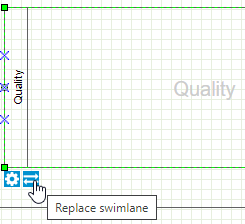
The swimlane creation window opens. From there on the behaviour is identical to the subchapter 'Create new swimlane with assignment'.
Collapsed Pool / Swimlane without assignment
If the participation of external partners, such as customers or suppliers, should be represented in the process model, the collapsed pool / swimlane is used for this purpose. This is because the tasks in the swimlanes of suppliers, for example, are not known to your company and therefore cannot be modeled in the process model.
Since an org. unit is usually not modeled for external participants in the organizational chart, there is no assignment of an org. unit to the swimlane. Instead, the desired name of the external participant is typed in manually in the creation window and confirmed with <OK>.

The only difference to an opened swimlane is that no assignment to an org. unit is made.
The association between internal tasks and external participants is represented by a message flow.

Participation of additional org. units
With the previously described methods, one org. unit is always assigned to exactly one swimlane. However, it is also possible to map the case where several departments are working on the same task. This can be modeled in two ways.
Additional participant
To represent a one-time participation of a department in a task, the modeling object 'Additional Participant' is useful.
If the object is inserted into the process model from the symbol area, an org. unit can be selected from the organizational chart. The additional participant can then be connected to the task in which the org. unit is involved.

The association link automatically displays the label 'Execution' after creating the additional participant. By double-clicking on the connector, the type of participation of the org. unit can be changed. Available for selection are:
- Rsponsible - The org. unit of the swimlane and the additional participant execute the task together.
- Accountable - The org. unit of the swimlane performs the task and the additional participant finally decides on the result of the task.
- Supportive - The additional participant supports the org. unit from the swimlane in the execution of the task.
- Consulted - The additional participant gives advice to the org. unit from the swimlane to perform the task.
- Informed - The additional participant provides information to the org. unit from the swimlane for performing the task.
Swimlane with multiple assignments
Once a swimlane with org. unit assignment has been created, additional org. units can be assigned subsequently using the swimlane properties to illustrate when multiple departments are working collaboratively on the tasks modeled in the swimlanes.
Therefore click <Edit>. In the list of process participants, you can now use <Add> to assign further org. units from the organizational chart in addition to Human Resources and adjust the name of the swimlane accordingly.
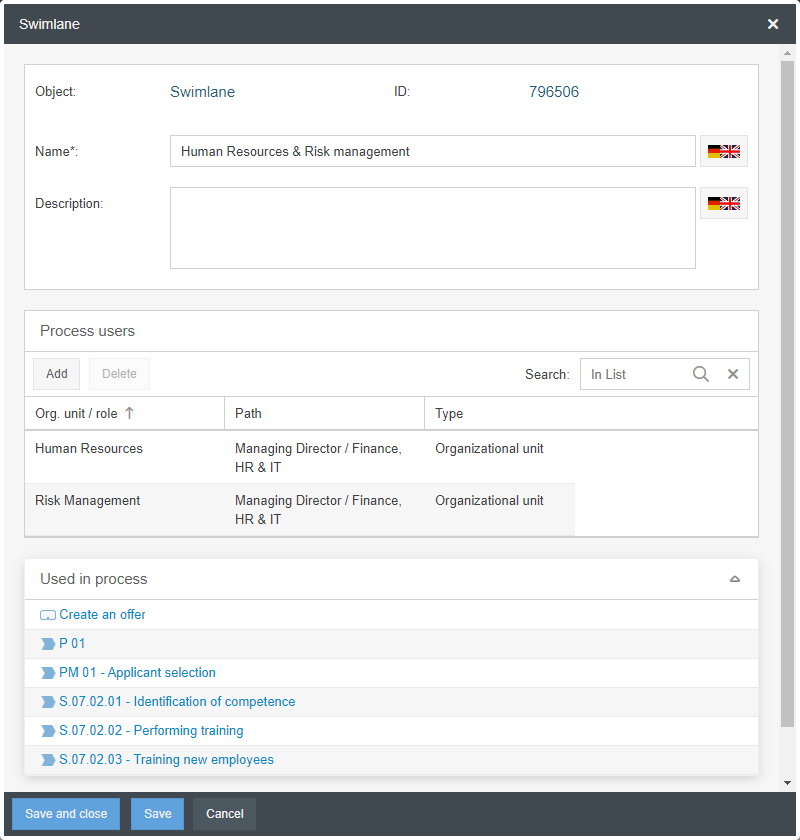
The properties of the swimlane are changed by this procedure in all processes in which this swimlane has been reused.
RASCI-Matrix
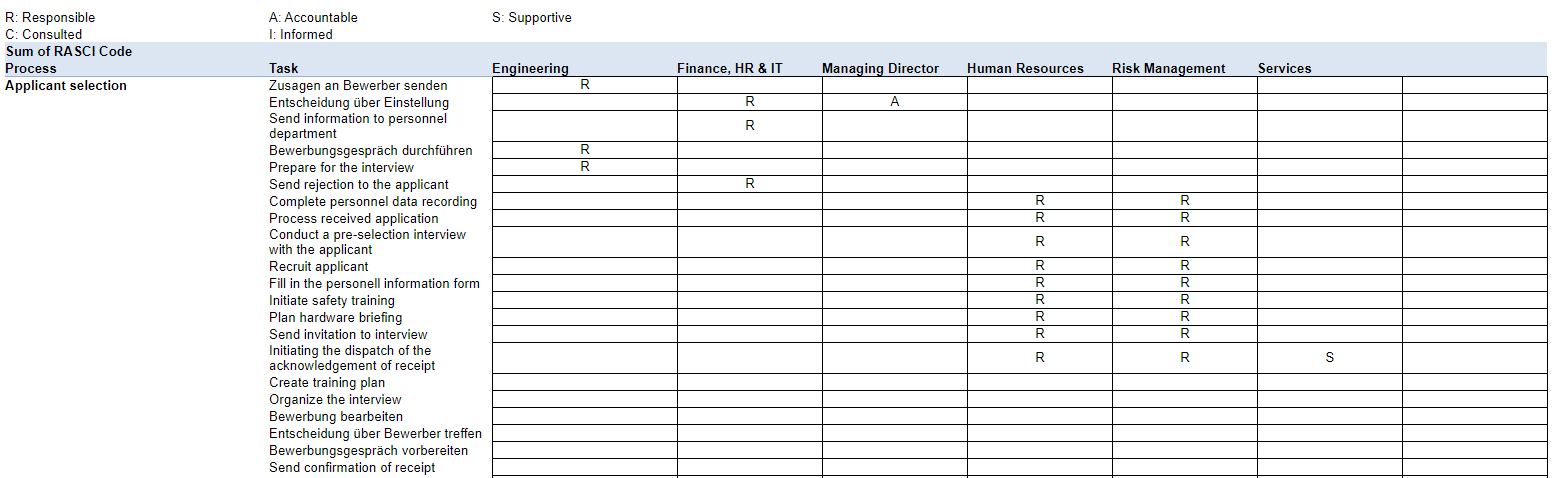
A standard report called 'RASCI-Matrix' is available in the 'Lists and Reports' section of the Process Explorer and in the Reporting menu.
If you have worked consistently with swimlanes with org. unit assignment and additional participants during process modeling, this standard report displays a responsibility matrix for all processes in the system. For each task in each process it is noted which department is responsible for execution or has additional participation types, if applicable.
How did we do?
Object: Gateways
Object: Artifacts in general
