Workflow object: Service/Export
The Service / Export object can be used in a workflow to export data from a case and store it in a predefined location. A designation should always be added to the properties of the object so that it…

The Service / Export object can be used in a workflow to export data from a case and store it in a predefined location.
A designation should always be added to the properties of the object so that it is already possible to recognize in the process model which data is stored where.
Configuration options
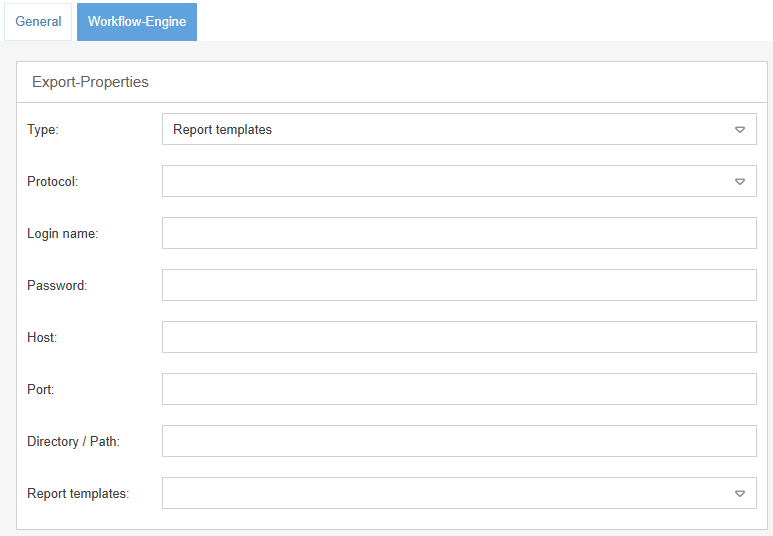
The export can be configured in the object's workflow engine. In the export properties, you can specify different types for the export and different protocols for calling the storage location.
- Report templates (Depending on the default setting in the Word Report Designer PDF or DOCX)
- CSV
- XML
- File
- FTP
- Windows shared folder
- Attach to case
Export type | Description |
Report templates | Depending on the definition in the Word Report Designer, this export type generates a PDF or DOCX file, which can either be saved to a location or attached to the case as an attachment (protocol: Attach to case). The report template must be specified in the Report templates field. To be able to output a PDF as an export, a report template for the process must have been created in the Word Report Designer for printouts. |
CSV XML | The export type CSV or XML generates a CSV or XML file that can either be saved to a location or attached to the case (protocol: Attach to case). In the Fields section, the fields must be selected using the arrow buttons and sorted in the order in which they are to be created in the CSV or XML file. 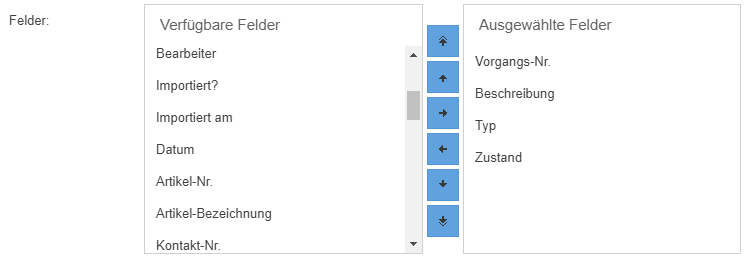  In the field "File name pattern" a format for the later generated file name can be specified. In this way, contents from the case or case details can also be transferred to the file name. Available here are all placeholders that are available in the Word Report Designer for printouts for the respective process. Example of a file name pattern: Customer Complaint_<Processnumber> Here, Customer Complaint is a free text and <Processnumber> is the placeholder for the case number. |
Protocols
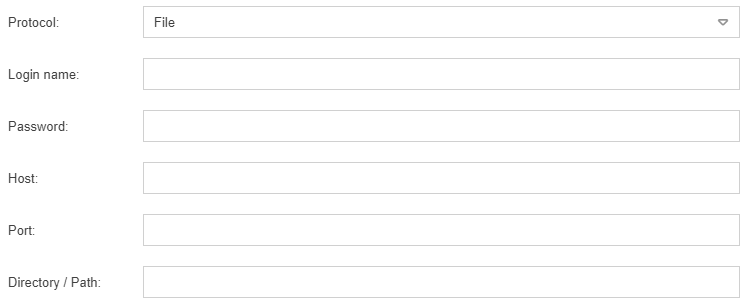
Depending on where the generated file is to be stored, the corresponding protocol (File, FTP, Windows shard location) must be selected and the access data for this directory must be specified.
Field | Description |
Login name | In this field the login name must be entered |
Password | In this field the password can be entered, if the directory is secured |
Host | In this field the server or pc must be entered |
Port | In this field the port can be entered |
Directory / Path | In this field the directory must be entered, where the file should be saved |
How did we do?
Workflow object: Send form via e-mail
