Table of Contents
Version 24.9 Release Notes
Processes and documents. A new setting in each of the authorization profiles for processes and for documents can be used to determine whether users are allowed to manually edit the validity of proces…

Updated
by Dennis Reichle
Table of Contents
Processes and documents
- A new setting in each of the authorization profiles for processes and for documents can be used to determine whether users are allowed to manually edit the validity of processes / documents.
- A new setting in each of the authorization profiles for processes and for documents can be used to determine whether users are allowed to withdraw the publication of processes / documents and delete processes / documents that are not published (anymore).
- With a new setting each for process management and document management, you can decide whether users with a viewer license can view previously published versions of the process / document via the Versions menu.
- Viewers (users without editing rights) are now always initially shown the currently valid version of a process/document. To do this, SmartProcess checks whether the latest published version is currently valid based on the “Valid from” and “Valid to” dates. If this is the case, this version is displayed to the viewer. If not, the previously published versions are searched and the viewer is initially shown the version that is still valid based on the validity data.
In addition, the viewer is shown a banner above the process / document that indicates that there is a newer version that will become valid in the future. The viewer can use a link in the banner to view this version, which will soon become valid, if required. For more details, see the article Validity.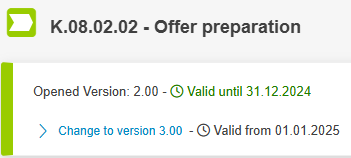
- In the process description or Word file attachments of documents, a new merge field placeholder can be used to display the ID of the process or document in the file.
Processes only
- A new artifact Control has been added for process modeling. This can be used, for example, to show that there are corresponding control mechanisms for process risks.
Documents only
- If several language variants have been created for a document in the “Linked documents” list, document users are now only requested a read confirmation for the language that is stored in their user profile.Example: A document is created in German and variants for English and French are added to the “Linked documents” list. A user / document user in whose profile the language is set to English is now only requested a read confirmation when the English version of the document is published in a new version.If there is no suitable variant of a document for a user's language, the user will continue to receive the request for a read confirmation for all language variants.Continuation of the above example: A user / document user in whose profile the language is set to Spanish will receive a read confirmation request every time a new version of the document is published - regardless of whether the German, English or French version is published.
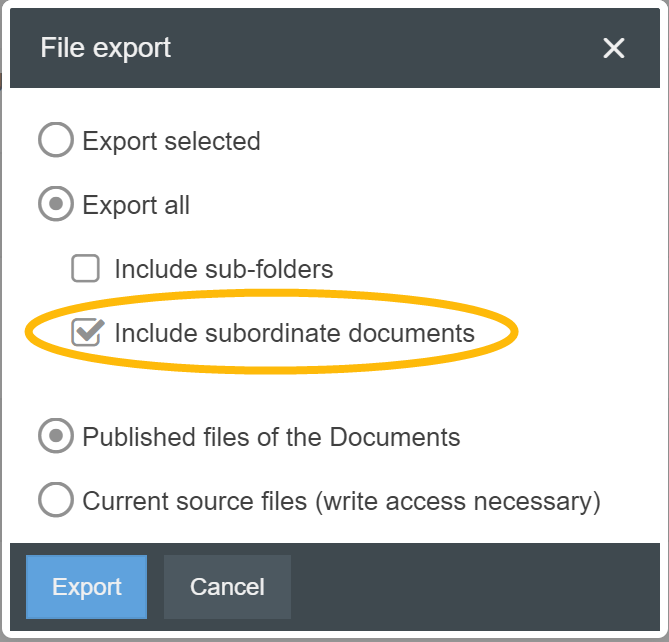
- When selecting “Export all” in the Documents menu during file export, the file attachments of subordinate documents that were entered in the Linked documents list of the original document can now also be exported by activating a checkbox.
Case processing
- A new setting in the authorization profile for case processing can be used to determine whether users are allowed to add and delete attachments to cases.
Workflow modeling
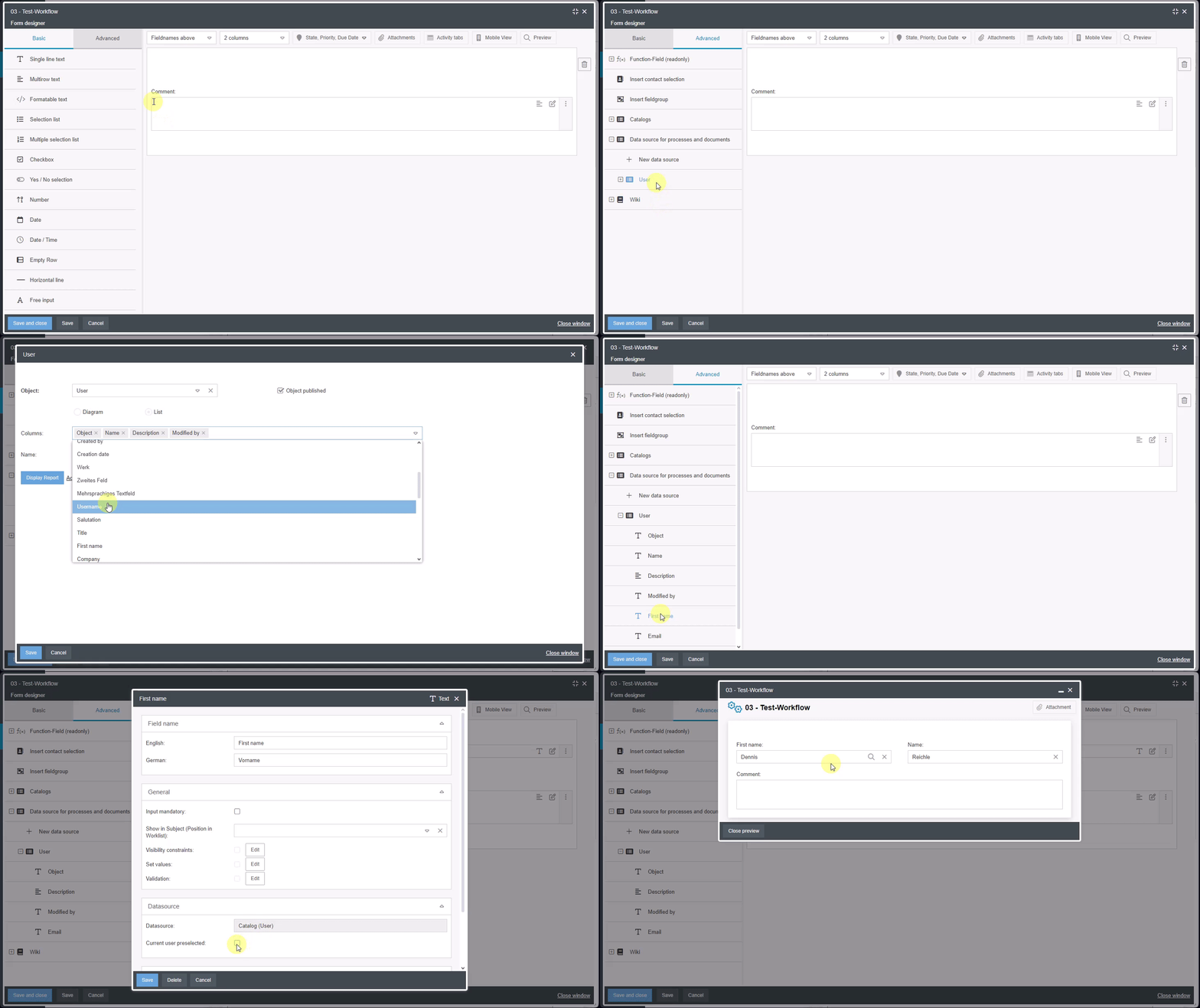
- If fields of the type data source for processes and documents with the data source "User" are used in the form designer, a checkbox in the field properties can be used to select that the fields should be prefilled with the user data of the creator.
- In the process model of a workflow, a gearwheel is displayed on the icons for tasks and sub-workflows. The workflow engine of these objects can be defined via this cogwheel (previously, the object had to be opened and the workflow engine activated via a separate button).

- A new variant for configuring activity requests has been introduced in the process model of the workflow (e.g. for parallel review in the approval workflow). Previously, the recipient and the task to be requested were defined in the Forward case object. With the new variant, you can now decide in the task object itself whether the activity is to be carried out by the person responsible for the whole case or by another person as a requested task. An indicator in the activity icon shows whether it is a requested activity.
So far - Configuration in the Forward case object 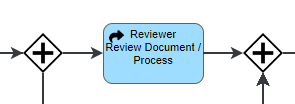 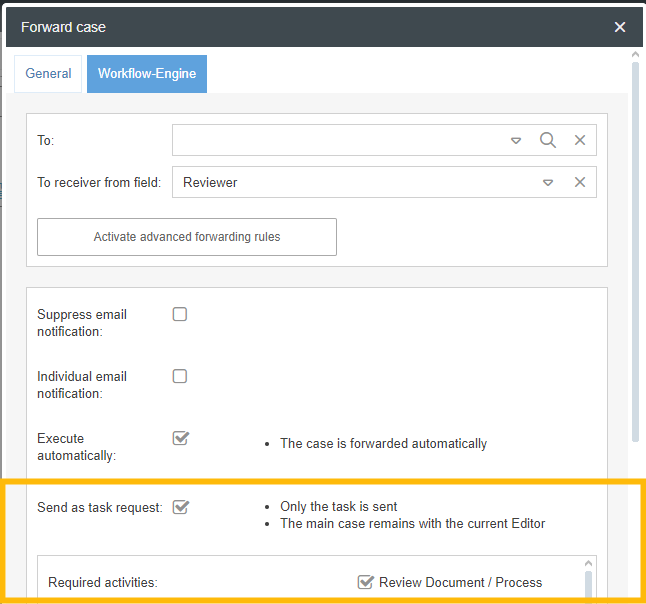 | New - Configuration in the activity object 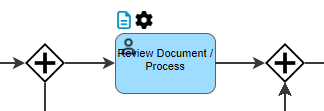 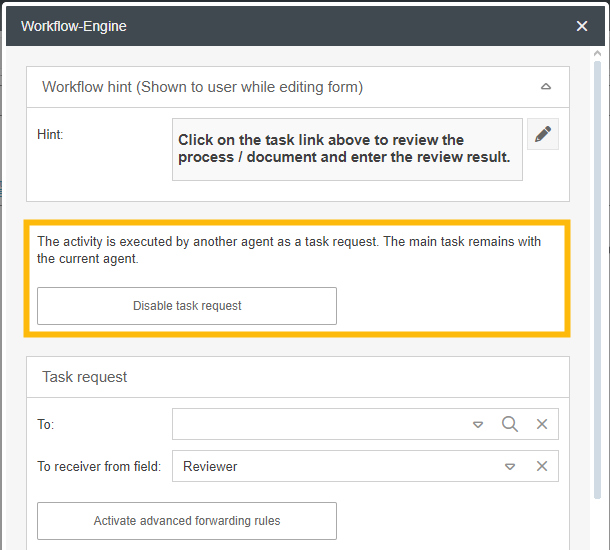 |
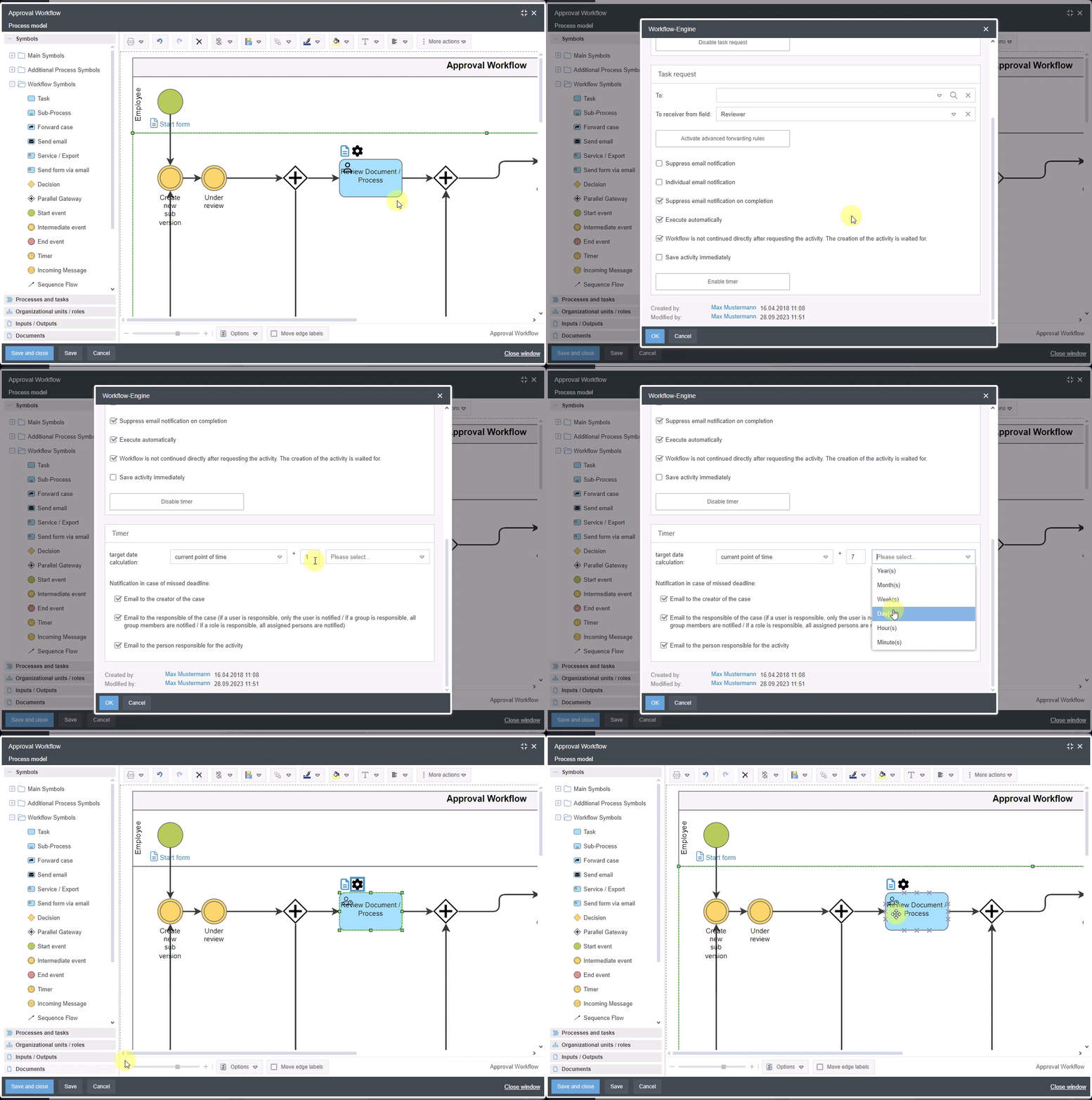
- In the new variant for configuring requested activities, a due date can now be set for the activity. This deadline only monitors the activity and can be used in addition to a timer that monitors the deadline for the entire case between two events. An indicator in the activity symbol shows whether a deadline has been configured for the requested activity.
Example configuration: 7 calendar days are allowed from the request for an activity to be completed
- When creating Word reports for cases, it is now possible to display image attachments from specific activities of the case (previously, only all image attachments of the case could be displayed together).
Organization chart
- If the background color of an object in the organization chart is very dark, the font color of the object changes from black to white.
General
- User-defined fields are now also available in the user administration.
- A new setting in the authorization profile in the Administration tab can be used to determine whether users can generally export lists from SmartProcess as .xls, .csv or .txt files or generate them as .pdf files for printing (e.g. report lists, case lists, lists of catalog entries, etc.).
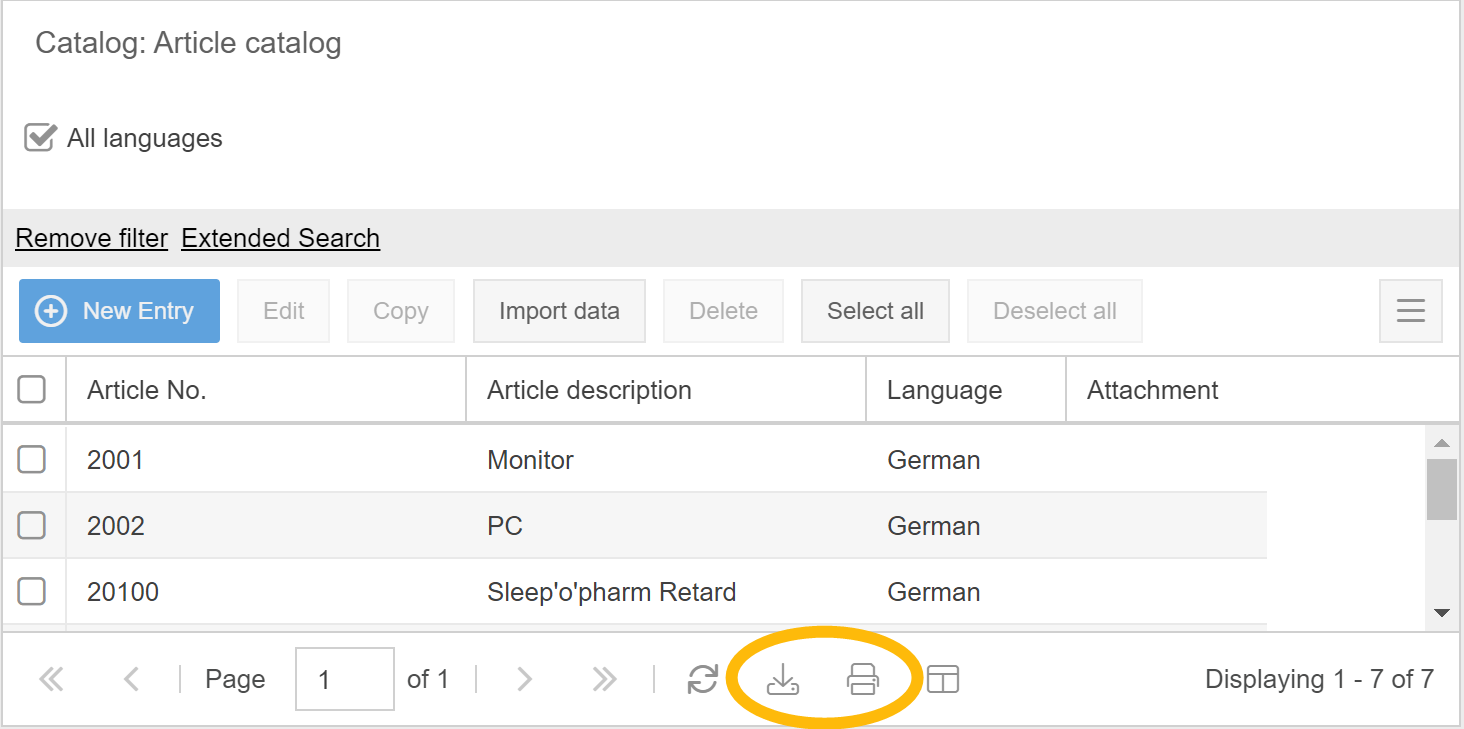
- The list of permitted formats for file attachments in SmartProcess has been expanded, e.g. to include .exp, .mpp, .pub, .webp, .one
- The Knowledge base menu has been renamed to Wiki. The range of functions is unchanged.
- A preview has been added for importing data. Before the import starts, a preview of the data to be imported is displayed, from which it can be seen whether all data can be imported successfully.
- The case import has been extended. It is now possible to create new cases with associated sub-cases when importing a single file, e.g. audit master data (main workflow) with associated audit questions (sub-workflow).
- In the settings under Configure application -> Directory services and Single sign-on, it is now possible to define several Azure and/or SAML profiles for which the Single Sign-On option is active at the same time. SmartProcess users are offered a separate button on the login page for each activated single sign-on option.
How did we do?
Version 25.3 Release Notes
Version 23.10 Release Notes
