Table of Contents
Validity
A validity period can be defined for processes either manually, using the validity workflow or as part of a publication with or without the approval workflow. The descriptions in this article also ap…

Table of Contents
A validity period can be defined for processes either manually, using the validity workflow or as part of a publication with or without the approval workflow.
Display and meaning
The current validity of a process can be viewed in the Details list below the process model.
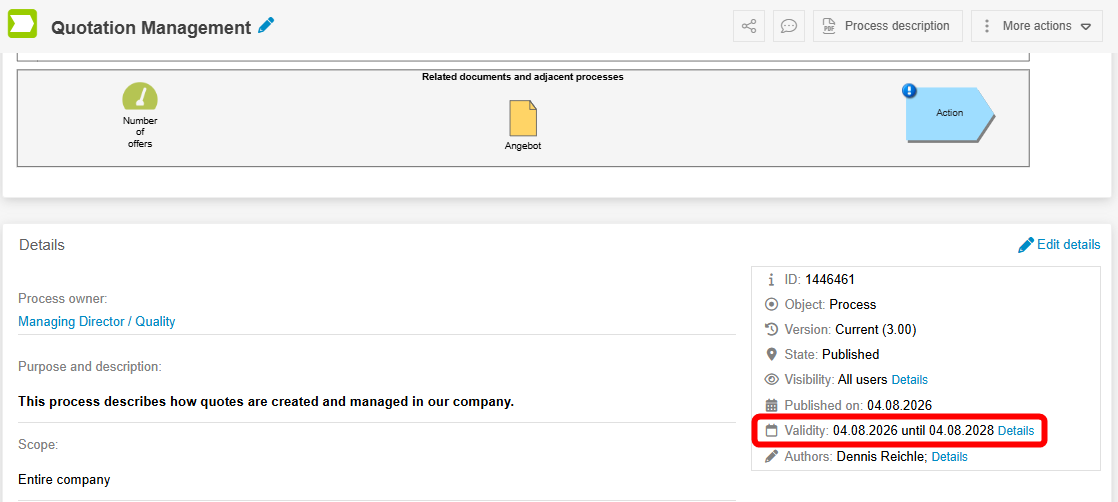
The validity is used in the application to send a reminder email to the process owner and process manager (for documents, the document responsible) after a specified period of time, thus ensuring that the processes are regularly checked to ensure that they are up to date.
Reporting can be used to filter for processes with the state “Validity exceeded”.
After the reminder has been sent, the process owner has various options:
- If changes to the process are necessary, these can be implemented and the changed process can be published with a new approval workflow.
- If no changes are necessary, the validity can be extended manually or with the validity workflow. This is described below.
Extend validity
Extend validity manually
Before expiration
Next to the display of the current validity is the <Details> button, which can be used to look up the history of previous validity periods.
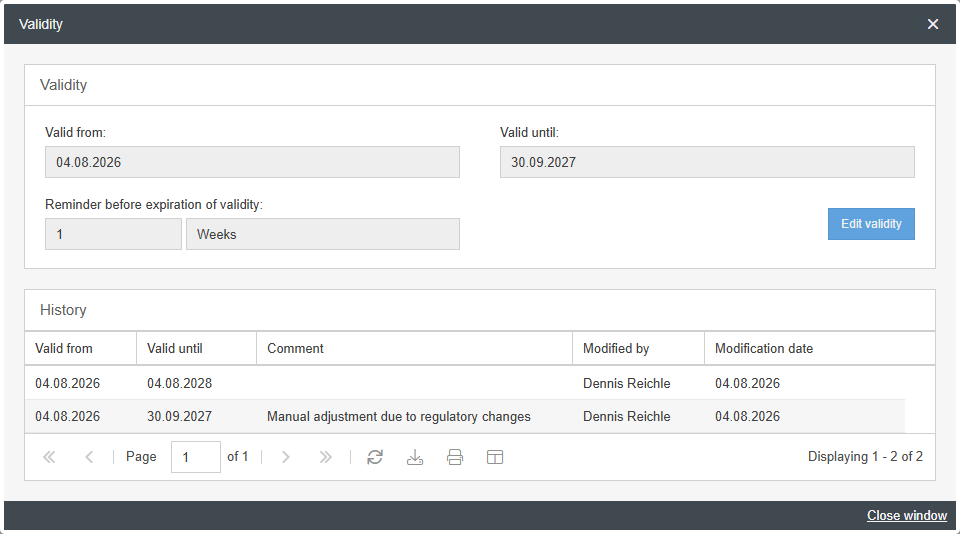
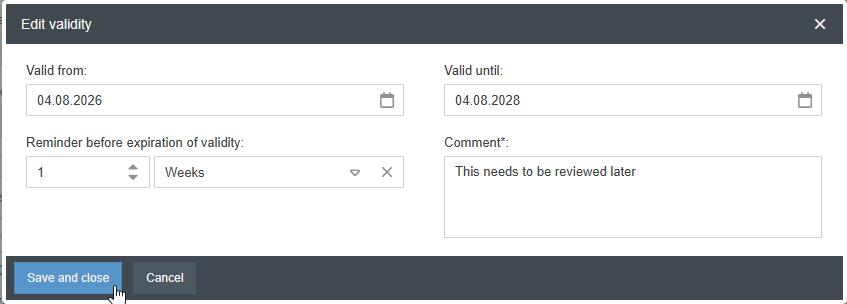
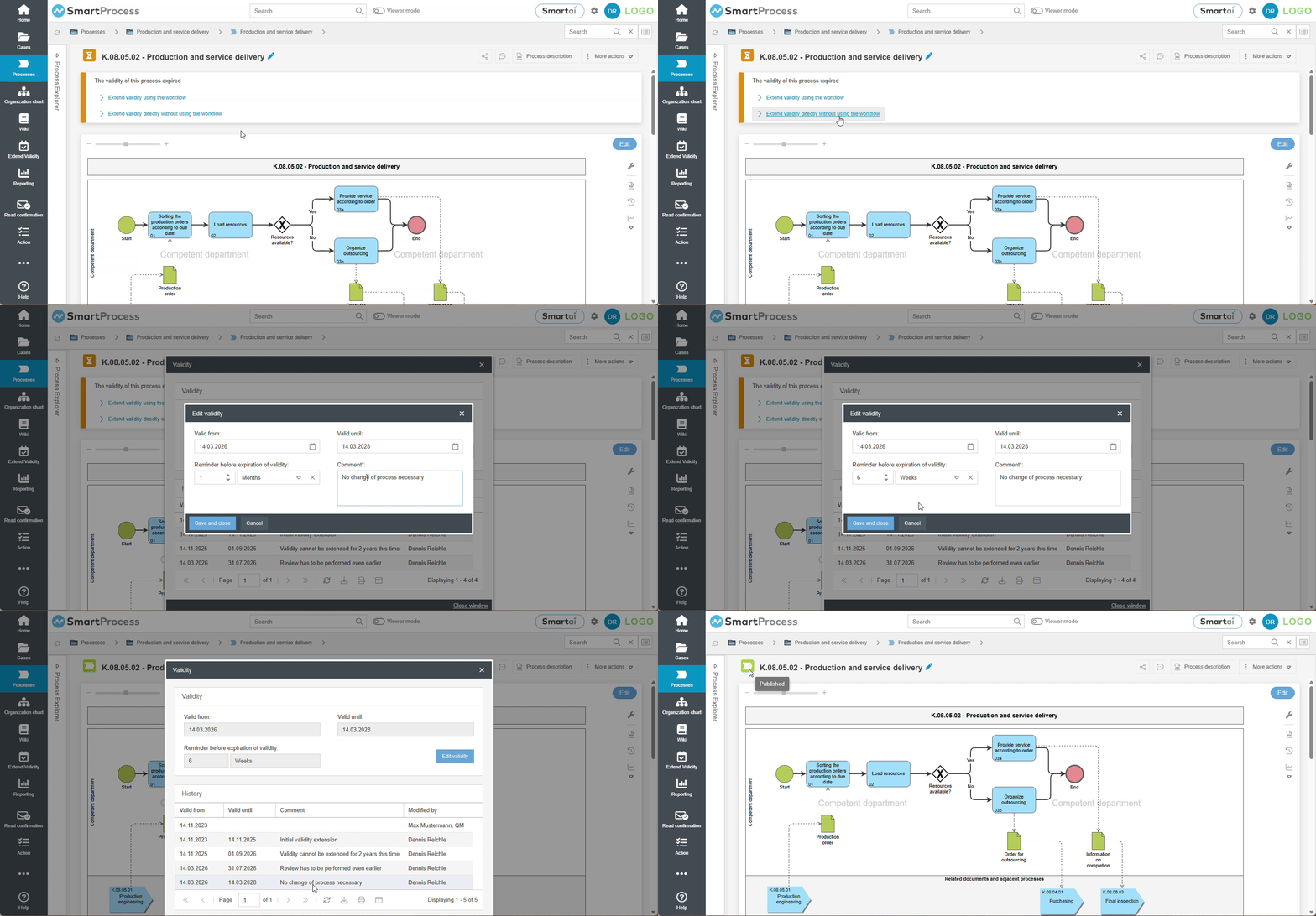
If the user has permission to manually edit the validity, a new validity period can be assigned to the process by clicking the Edit Validity button. In this case, a comment explaining the reason must be entered. Clicking Save and Close updates the validity data, and the entry (including the comment) is recorded in the history.
After expiration
In addition to the “Valid until” date, you can always enter a time frame for a reminder before the validity period expires. Consequently, each process can have both an expiration date and a reminder date.
Depending on this, two conditions can occur:
Validity is about to expire (Reminder date has passed, but the expiration date has not yet) | 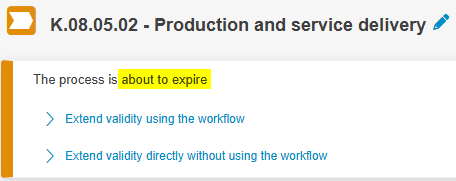 |
Validity has expired (Expiration date has been exceeded) | 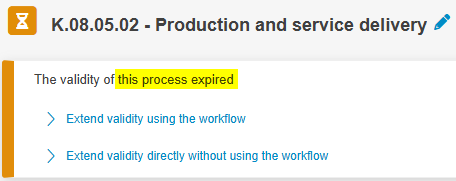 |
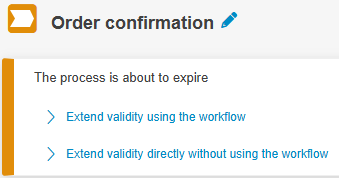
In both scenarios, a banner displaying the options for extension will appear above the process, provided you have permission to access these options.
Clicking Extend validity directly without using the workflow opens a window for manually editing the validity data. The values entered there become the new validity for the process and, along with the comment, create an entry in the validity history.
Extend validity via workflow
With the release of version 26.7, it is now possible to configure a workflow that can be triggered and executed when the validity of a process is about to expire. The workflow takes effect as soon as the reminder date for the approaching expiration is reached.
- The process is valid until October 31, 2030
- “3 weeks” was selected for the Reminder before expiration setting
- The reminder date is therefore October 10, 2030
Using the advanced workflow settings for this specific workflow, you can now define what should happen on the reminder date:
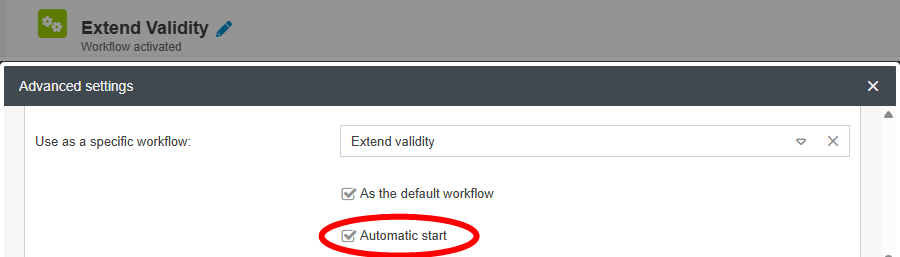
- Workflow starts automatically
- Workflow must be started manually
Below is a description of the standard workflow developed by CWA.
Automatic Start
Immediately after the case is automatically created, it is automatically forwarded to the process owner (or, in the case of documents, to the document responsible), provided that the field is filled.
The person now responsible is notified by email and, after opening the case, is prompted to add the missing data required for the validity extension via Edit details in the start form.
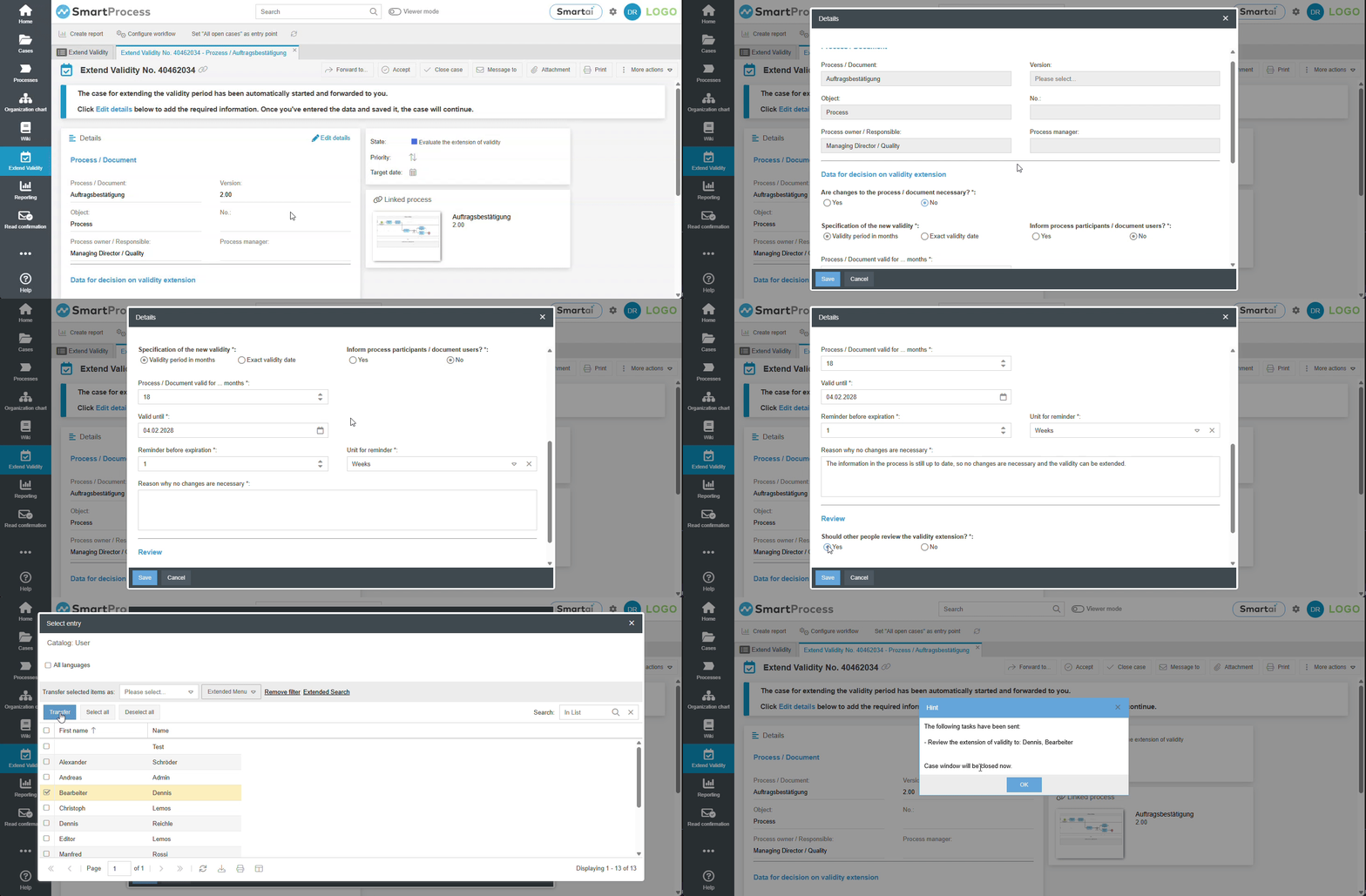
The key question for the workflow’s next steps is: Are changes to the process / document necessary?
- If yes, only a description field will appear, in which the necessary changes have to be listed. Subsequently, these adjustments should be made to the process / document and it should be published via a new approval workflow. As part of the approval workflow, the process / document will also receive a new validity period. Therefore, this validity extension case ends immediately afterwards, without the processes validity having been extended.
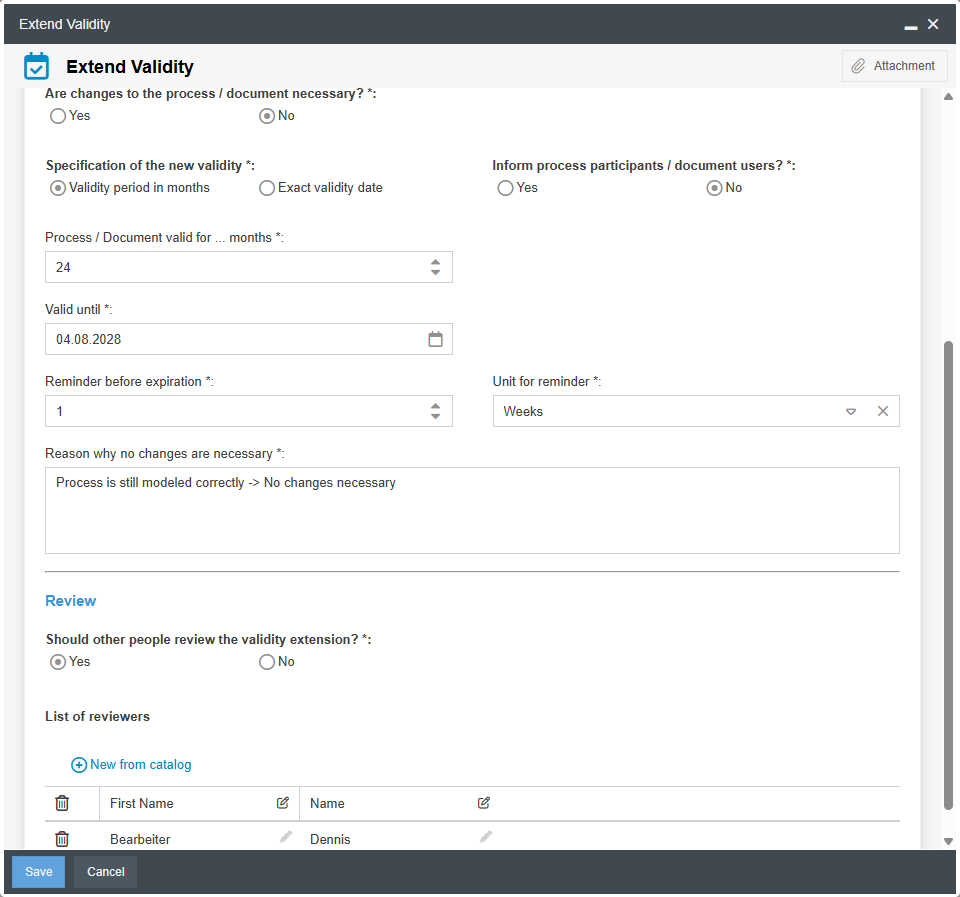
- If No, the actual validity extension case begins. Various fields will appear that can be used to determine how the workflow proceeds.
- The specification of the new validity period can be performed either by entering a number of months or by directly choosing a date.
- The Inform process participants / document users? option determines whether, after a successful validity extension, an email should be sent to all process participants / document users to inform them about the new validity period.
- The Reason why no changes are necessary field requires a description, which is also carried over to the validity history upon successful extension.
- Under Should other people review the validity extension?, any number of reviewers can be selected as needed.
- If no reviewers are selected, the validity extension takes effect immediately after saving with the entered data; if applicable, a notification email is sent to the process participants / document users, and the case is completed. In addition, a new entry is created in the validity history.
- If reviewers are selected, each of them is assigned a task after saving, in which they can approve or reject the validity extension (similar to the review by multiple people in the approval workflow).
- If all reviewers give their approval, the validity of the process / document is extended with the proposed dates; if applicable, a notification email is sent to the process participants / document users; and the case is completed. In addition, a new entry is created in the validity history.
- If at least one reviewer does not approve, the process owner / document manager receives a task to acknowledge the negative review results and determine whether changes to the process / document are necessary based on those results. The case is then closed without a new validity period being assigned.
Afterwards, depending on the final assessment of whether the process/document needs to be changed, the process owner / document manager can either edit the process / document or initiate the validity extension again.
Manual Start
If automatic workflow start is not enabled, the standard system email notifying the process owner and process manager will be sent when the reminder date is reached. If they open the relevant process, a banner appears above the model offering to extend the validity period using the workflow.
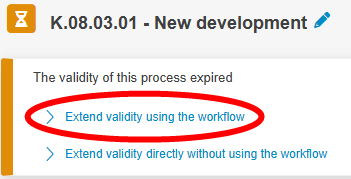
Clicking Extend validity using the workflow opens the start form.
Display of the currently valid version for viewers
It is possible to set the “Valid from” value of published processes to a date in the future so that versions that will only become valid in the near future can be provided in advance.
Based on the validity dates of all published versions, SmartProcess automatically determines which version of the process is initially displayed to a viewer (user without editing rights for the process):
- If the latest published version of the process is currently valid based on “Valid from” and “Valid to”, the viewer is initially shown this version.
- However, if the latest published version will only become valid in the future, SmartProcess searches through the past published versions and initially shows the viewer the version that is currently valid based on “Valid from” and “Valid to”.
In addition, the viewer is shown a banner above the process model indicating that there is a newer version that will become valid in the future. The viewer can use a link in the banner to view this upcoming version if required.
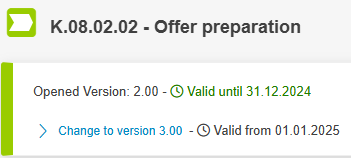
Example for the display of future valid versions
- The most recent publication of a process is version 3.00. This version is valid from 01.01.2025 to 31.12.2026 - so it will only become valid in the future.
- The previously published version 2.00 is valid from 01.01.2023 to 31.12.2024 - it is therefore currently valid.
- When opening the process, the viewer is now initially shown version 2.00 with a banner indicating that version 3.00 will be valid from 01.01.2025.
How did we do?
Publication of processes / documents
Read and edit access
