Table of Contents
Version 26.7 Release Notes
If you are interested in an update, simply request it by emailing support@cwa.de. You can find your current version number by clicking on your user initials in the application header and then clickin…

Updated
by Dennis Reichle
Table of Contents
If you are interested in an update, simply request it by emailing support@cwa.de.
You can find your current version number by clicking on your user initials in the application header and then clicking Info.
You can find your current version number by clicking on your user initials in the application header and then clicking Info.
AI functionality
- With the SmartAI process assistant, you can use AI support to create new processes based on manual text descriptions, documents, or images, and directly add task descriptions and responsibilities to them.
- The SmartAI module has been expanded with the SmartAI knowledge questions assistant. This feature makes it possible to automatically generate knowledge questions for read confirmations with AI support.
- In the SmartAI settings, you can now specify for the entire SmartProcess application which sources the SmartAI chatbot should use to respond to user inquiries.
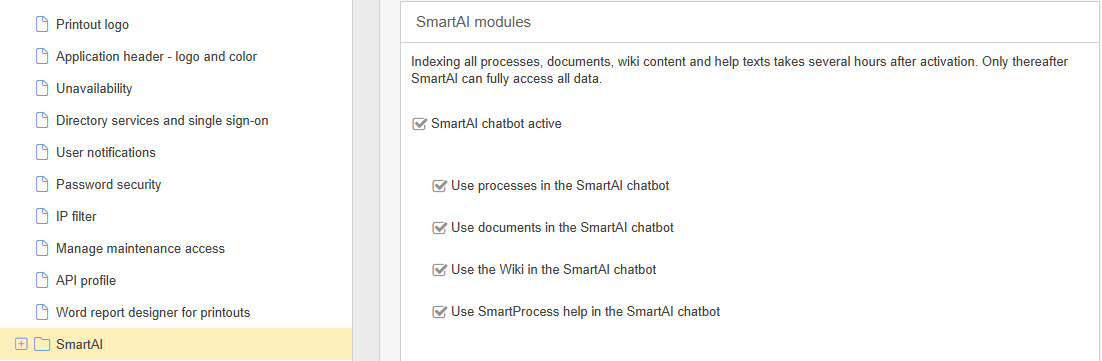
- The new MCP Interface add-on module makes it possible to connect external AI systems to SmartProcess so that they can access SmartProcess content. This allows an external AI system to use published processes, published documents and Wiki entries to integrate this information into the company’s central AI system (e.g., a Copilot agent).
Processes and documents
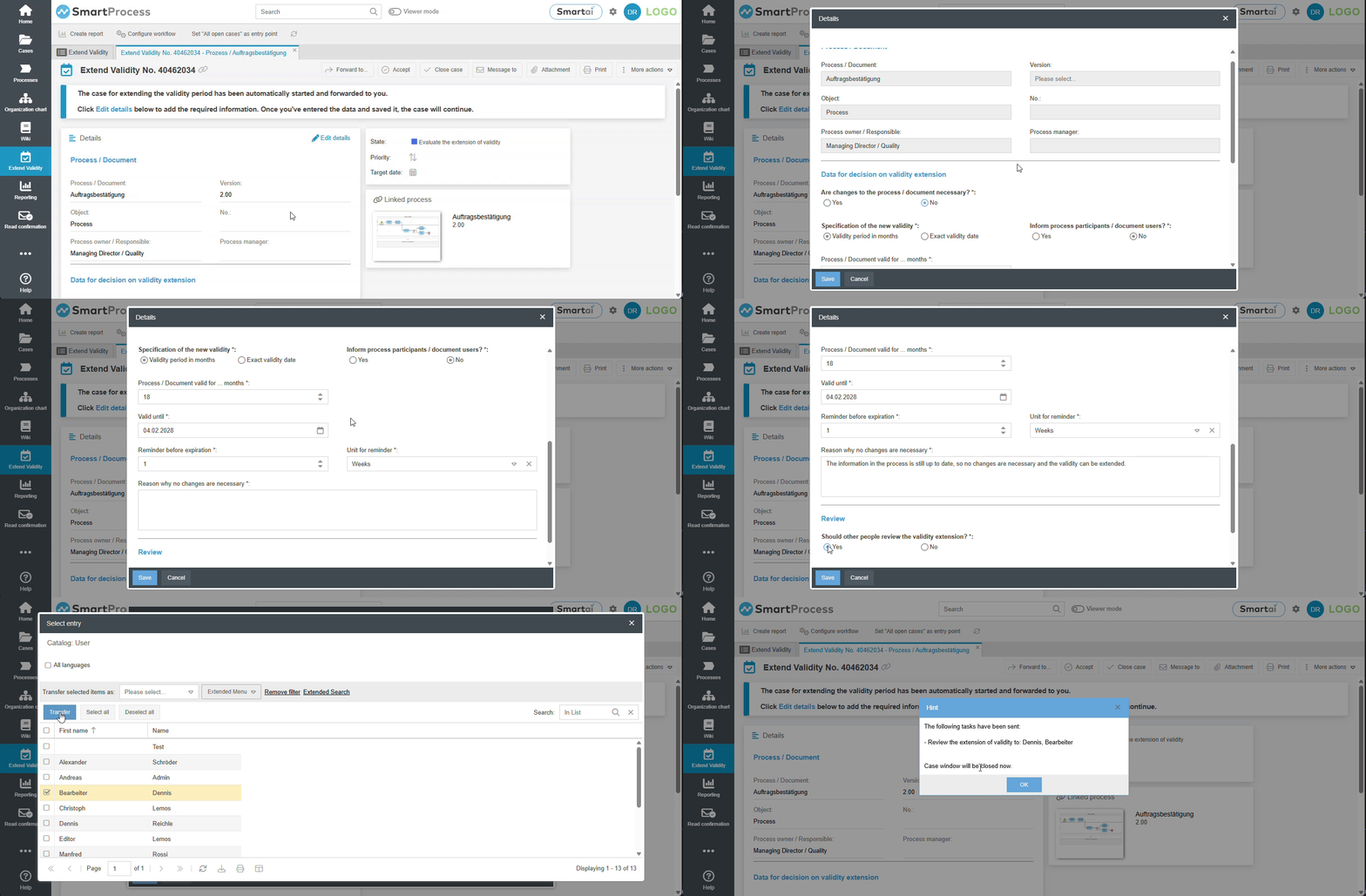
- A new option has been added to extend the validity of processes and documents. In addition to the previous manual extension via the process/document details, you can now use a workflow to define a controlled process that is executed for every required validity extension.
For customers with an initial installation prior to version 26.7, the new workflow must be set up manually. This does not happen automatically with the update to the new version. If you are interested in using this feature, please contact smartprocess@cwa.de.
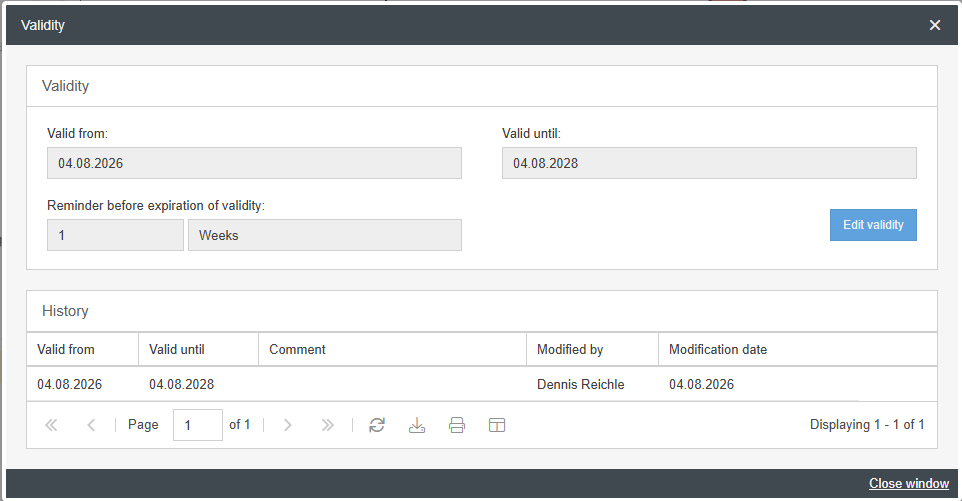
- The window for manually editing the validity of processes / documents has been redesigned for improved usability. When opening the validity settings, a read-only display of the currently valid settings now appears first, along with a button that opens a separate window for manually editing the validity. Previously, there was only a single window in which both the current validity was displayed and the manual editing of the validity took place in the same fields.
Processes only
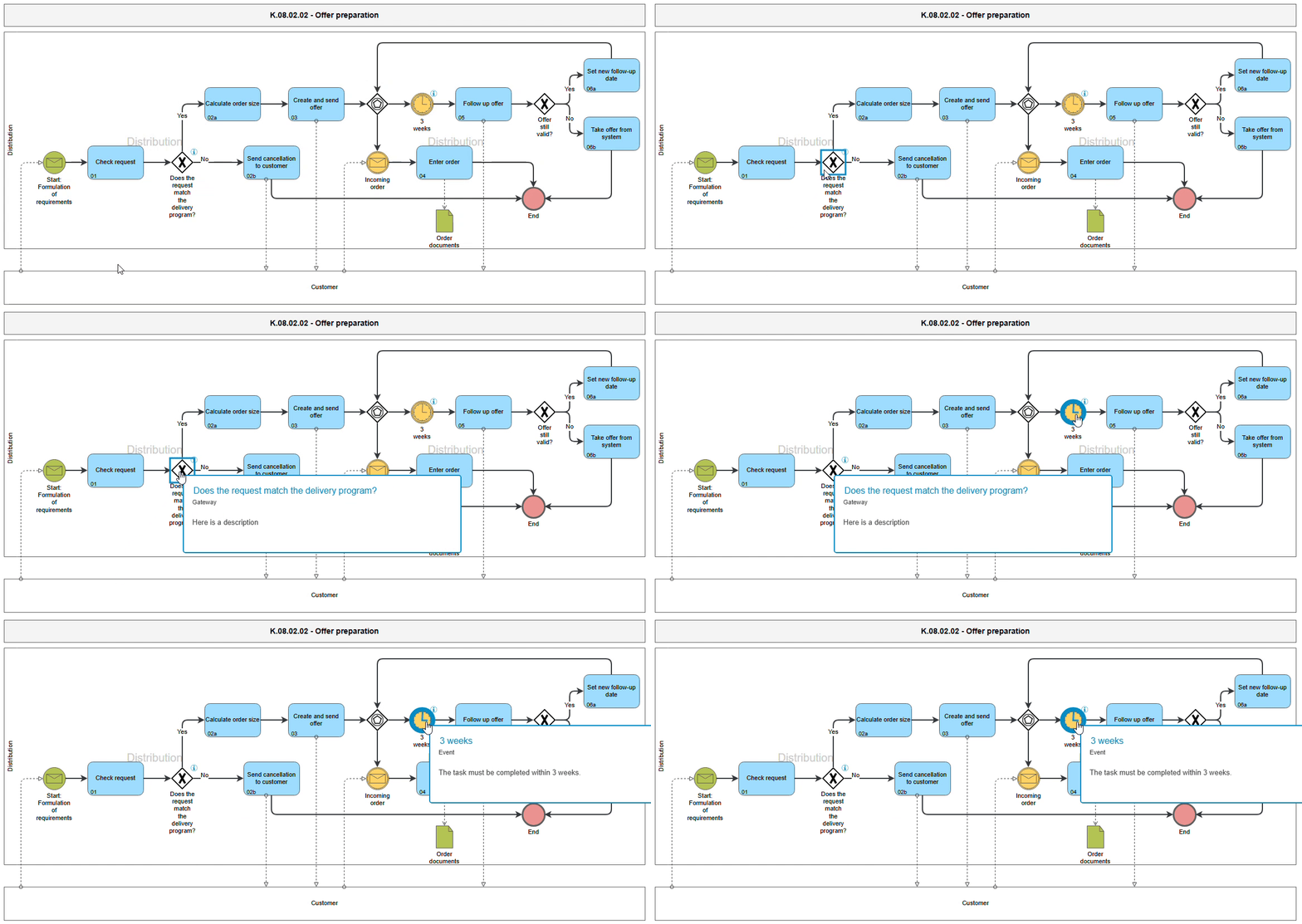
- For the process modeling objects Decision, Gateway, and Event an “i” is now displayed next to the symbol if a description has been entered in the object’s properties. Similar to tasks, a pop-up window opens when you hover the mouse over the object in the read-only view of the process model.
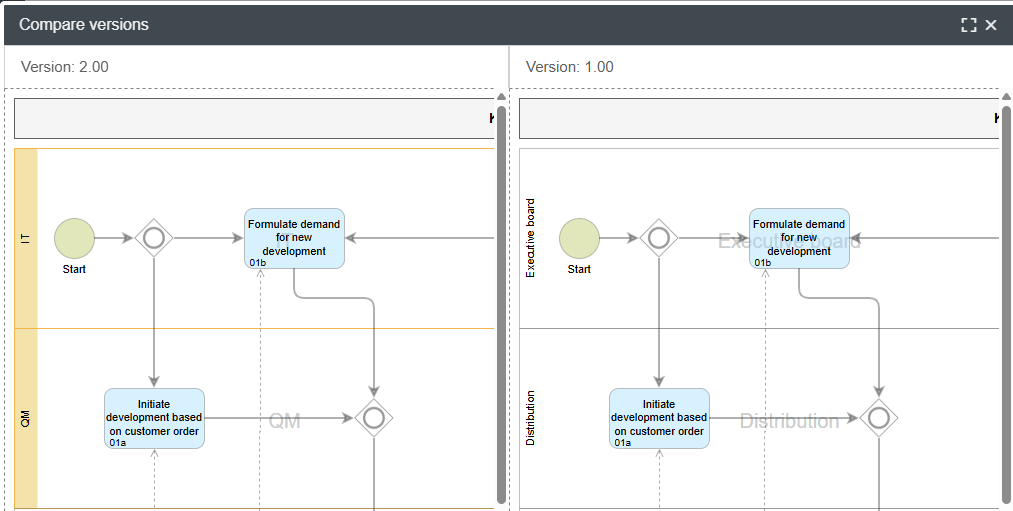
- When comparing process versions, changes to swimlanes are now also highlighted in color.
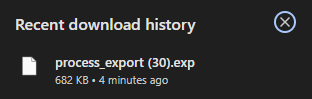
- The files generated in a SmartProcess export of a process now have the name of the exported process as their filename, rather than a generic designation.
New file name | Previous file name |
 |  |
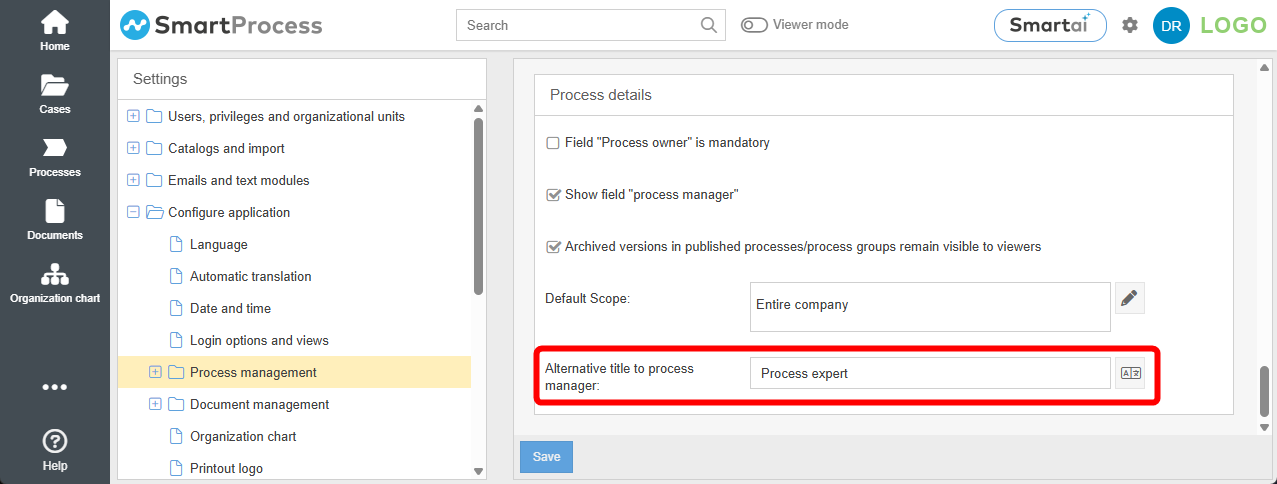
- In the process management settings, you can enter an alternative title for the Process manager. This title will then be displayed in the process details for all processes.
Documents only
- If you want to delete published and/or reused documents in the list view of the Documents menu, their state and locations where they are used will be displayed in a separate window. In this window, you can decide for each item how to handle the document.
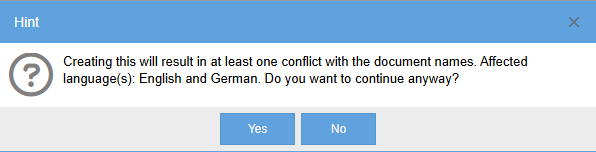
- When creating or renaming documents, the system checks at the moment of saving whether the document name (not the file name!) has already been assigned to another document in the system. If so, a warning message is displayed to the user. The check for duplicate names is performed in all enabled content languages.
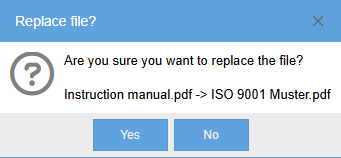
- If the file attachment for an existing document is replaced, the system compares the name of the previous file attachment with that of the new one. If the two file names differ, a warning is displayed to the user before the change is made to prevent the original file from being accidentally replaced by another file.
- In the Documents tab of the authorization profiles, there is a new privilege that allows to grant the responsible person from the document details, only the permission to manually extend the validity period, without granting any additional editing rights to the document’s content.
- The ID is now available as an additional column for document meta data import. This allows existing documents to be uniquely identified during import, regardless of the document number or document name.
Organization chart
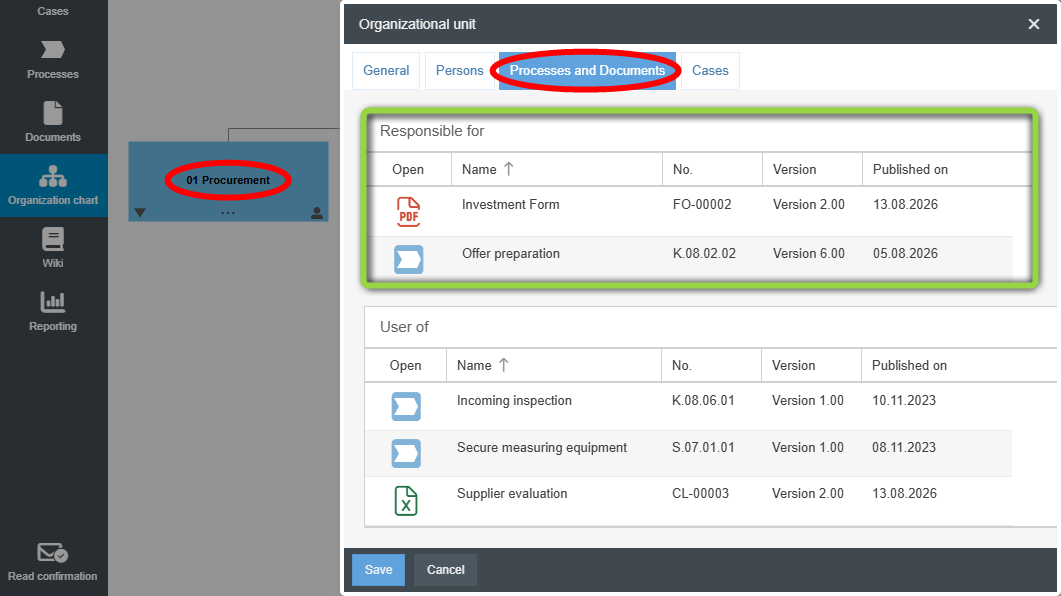
- When you open the properties of an organizational unit or role in the organization chart and switch to the Processes and Documents tab, you will now also see the Responsible for list, which shows the processes and documents for which this organizational unit or role is listed as the process owner or document responsible. Previously, only the User of list was available here.
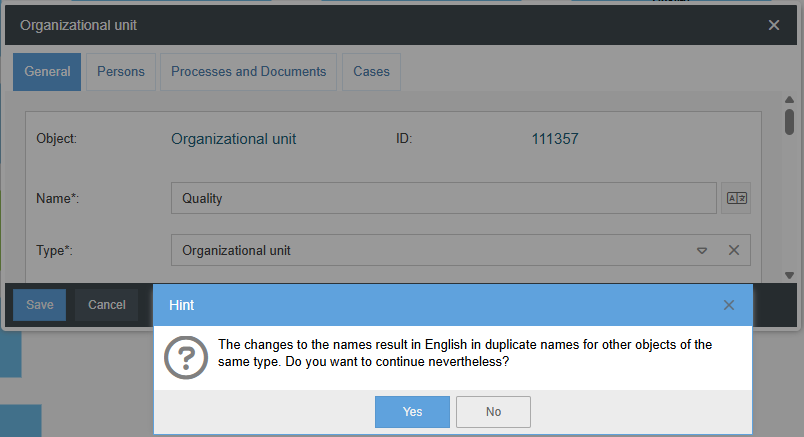
- When you create or edit organizational units, the system checks whether the name of the organizational unit already exists in the organizational chart as soon as you click Save. If so, a warning message is displayed for your information.
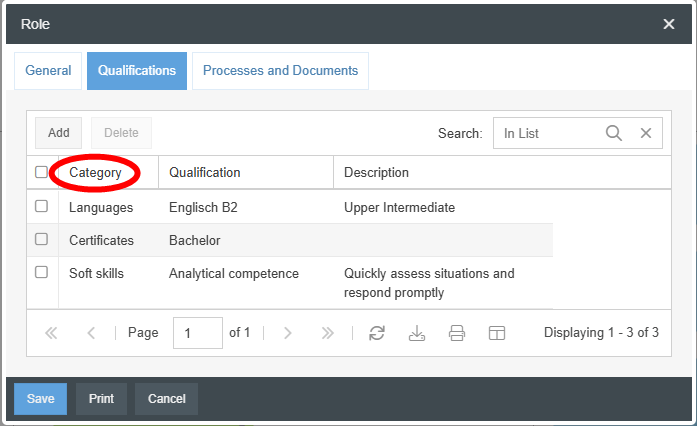
- When you open a role in the organization chart and go to the Qualifications tab in the Properties window, the Category column is now available in the list.
Case processing
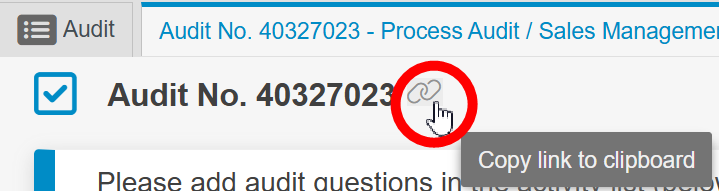
- In the case window, there is now a small icon to the right of the case number that can be used to copy the link to this case to the clipboard. When a user opens this link in their browser, the corresponding case is opened in the “Cases” menu.
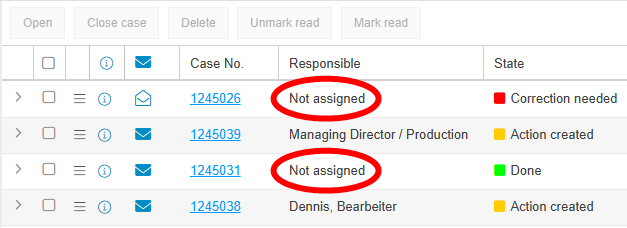
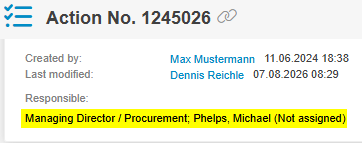
- If a case no longer has an assignment due to changes made to the user who was originally responsible for it (e.g., because the user was deleted or assigned to a different organizational unit), the Responsible column in case lists will now display Not assigned so that these cases can be identified and manually reassigned. Additionally, this note appears in the case window under Responsible in brackets after the organizational path.
Display in case list | Display in case window |
 |  |
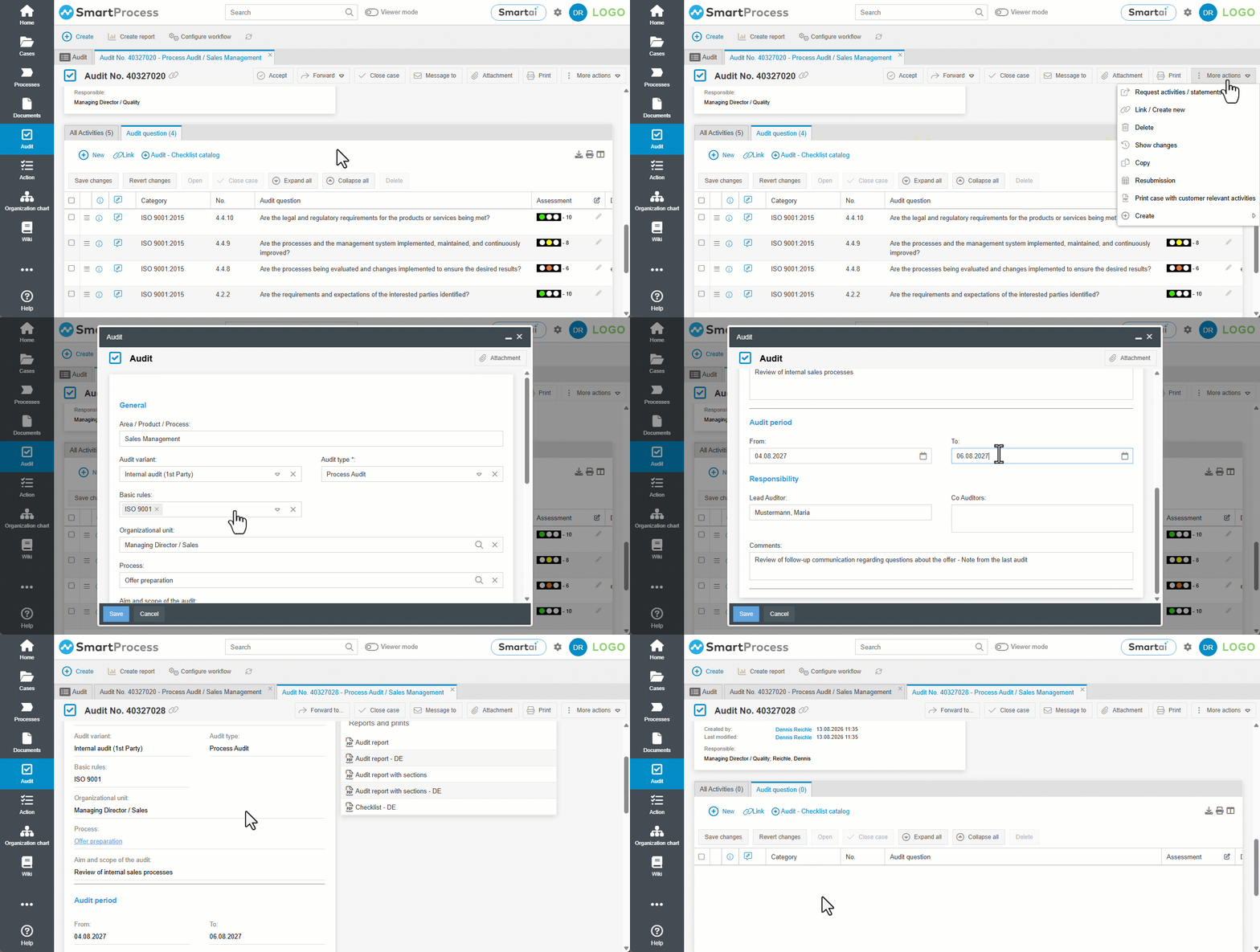
- When copying cases, you can now choose to copy only the master data of an original case, without its activities. Previously, all activities of the original case were always copied automatically.
- Closed cases that are reopened are now assigned directly to the user who reopens them. Previously, the reopened case was assigned to the user's main organizational unit.
Workflow modeling
- Sub-cases (e.g., a qualification as a sub-case of a qualification profile) now have the same responsibility as their main case, as long as they are not explicitly forwarded. This means that even without forwarding the sub-case, the workflow can determine the currently responsible person or organizational unit in order to, for example, send emails to that person or unit or configure forwarding to an authorization profile.
Mobile web app
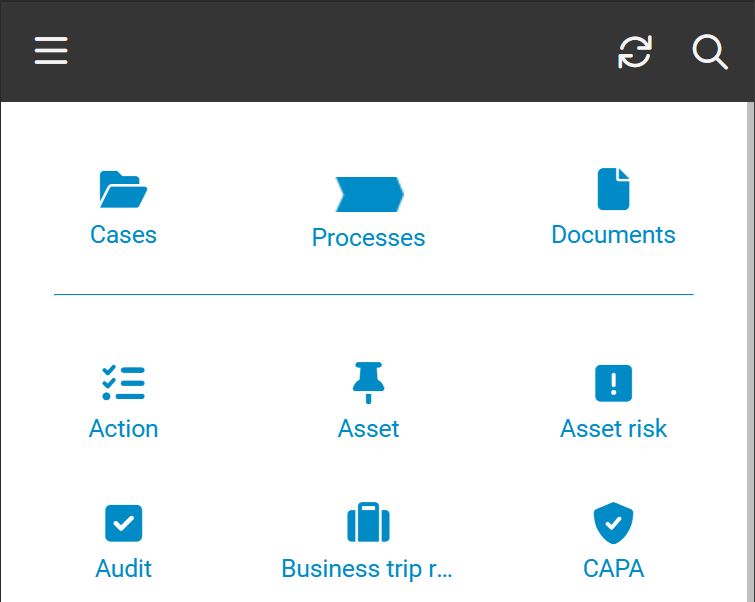
- In the mobile web app, workflow applications are now available as separate menus featuring the lists My cases, All open cases and Closed cases known from the desktop view (such as Action, Read Confirmation or Audit).
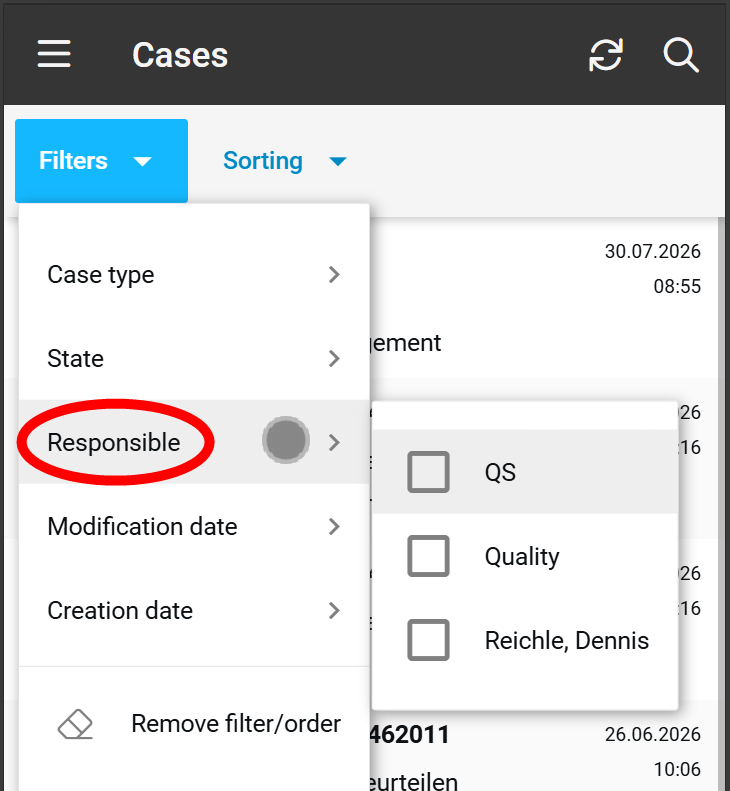
- Mobile Web App: In case lists under “Filters” you can now narrow down the displayed cases based on who is responsible for them.
General
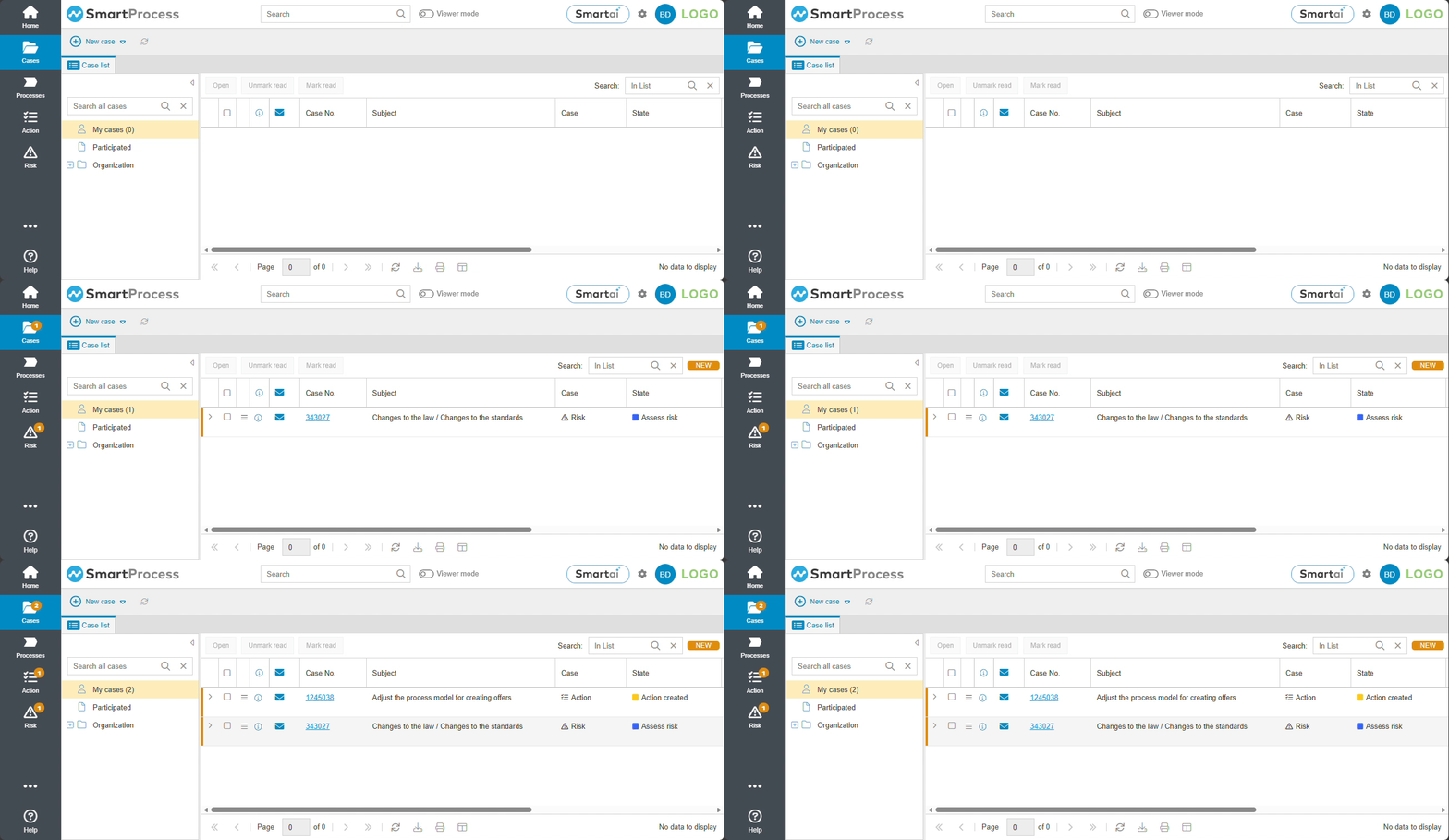
- Indicator notification for new cases in the desktop version: When a case is forwarded to a user for processing, this is indicated within a few seconds by an indicator in the respective workflow application menu and the Cases menu. In addition, the display in the user’s My cases list updates automatically. Even if cases are received while the user is logged out, the indicator will display the number of newly received cases the next time the user logs in.
- Local (!) users without an Active Directory connection can now set up an authenticator app to verify their identity using multi-factor authentication (MFA) when logging into SmartProcess. Once the app is set up, users will be asked to enter not only their username and password but also the code from the authenticator app in order to log in successfully. Administrators have the option to specify mandatory MFA setup either for individual users or globally for all users.
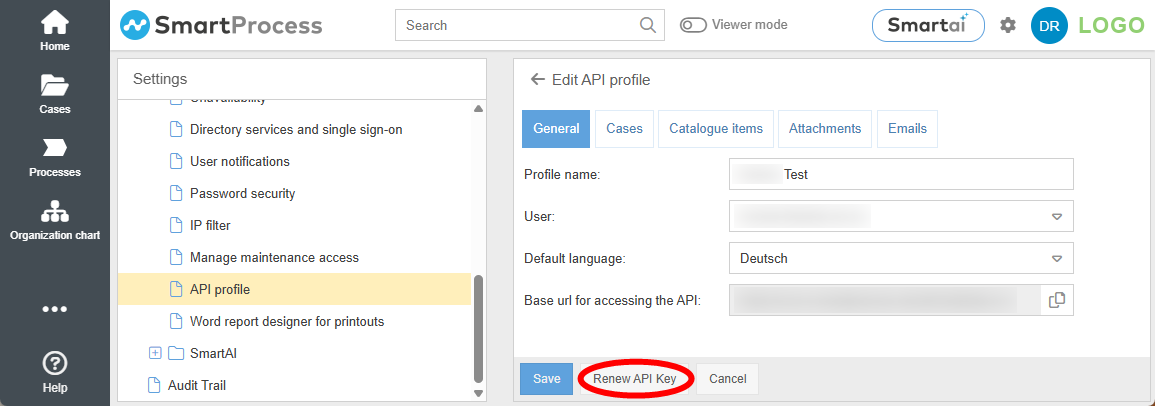
- For existing API profiles, a new API key can now be generated if required.
- In reporting for cases, you can now select the link to the corresponding case as a column in a list report.
- In Reporting for processes and documents, the column Version Description is now available; it displays the version description for the exact version of the process or document that is shown in the report list.
- When lists are sorted in ascending or descending order based on a text field, this is now done according to the principle of natural sorting. This means that if a text field also contains numbers, they are treated as a single value rather than digit by digit (e.g., sorting order 3 -> 8 -> 14 -> 50 instead of the previous 14 -> 3 -> 50 -> 8). This applies to all lists, such as My cases, Catalogs, or Report lists.
- When exporting lists, the export files are now given a descriptive name that includes a timestamp, so that the file name alone provides an insight into the content.
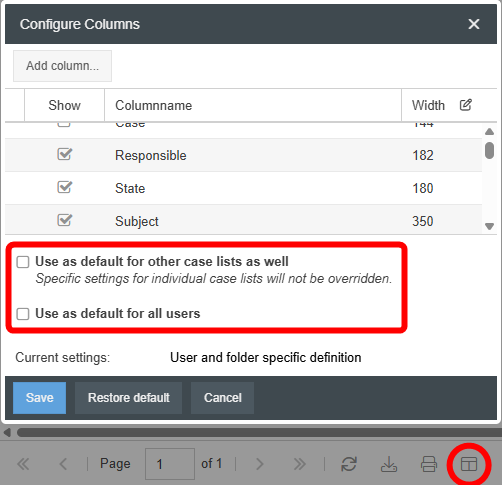
- When configuring columns, the labels for transferring column settings to other case lists and for saving the configuration for all users have been updated.
- There is a new Export archive feature in the settings. This feature allows you to extract data from SmartProcess in a bundled format as a .zip archive, including processes, documents, cases and the Wiki.
How did we do?
Version 25.11 Release Notes
