Automatic translation
For technical assistance with the translation of multilingual content in SmartProcess, the translation engine of DeepL which is integrated in SmartProcess can be used. To use the feature, an authenti…

For technical assistance with the translation of multilingual content in SmartProcess, the translation engine of DeepL which is integrated in SmartProcess can be used.
To use the feature, an authentication key from DeepL must be entered in the setting Automatic transalation.
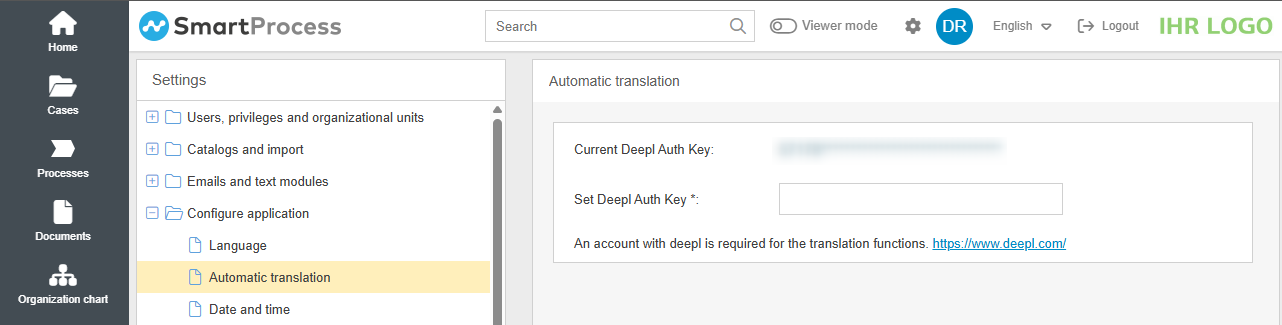
Once the key has been entered and saved, the button <Translate> is available to users at any point in SmartProcess where multilingual content can be entered.
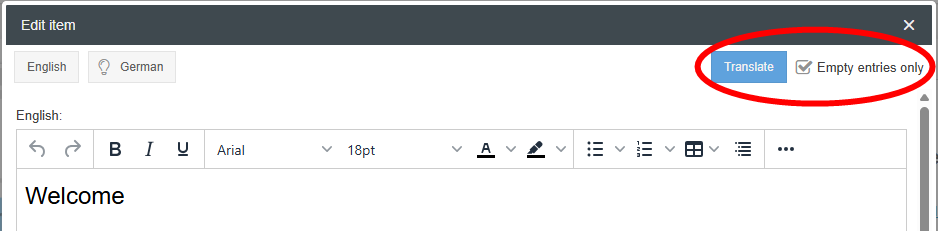
When the button is clicked, the content is translated from the language of the logged-in user into all activated system languages that DeepL supports.
 symbol.
So in the example above the entry in the field English is taken as the base for the translation, because the user is logged in in the language English. Since DeepL supports German for translation, a translation suggestion is automatically entered in the German field when the button is clicked.

How did we do?
Language
Date and time
